
Last Updated: Jan 10 2026
Table of Contents
What is Kubernetes DNS?

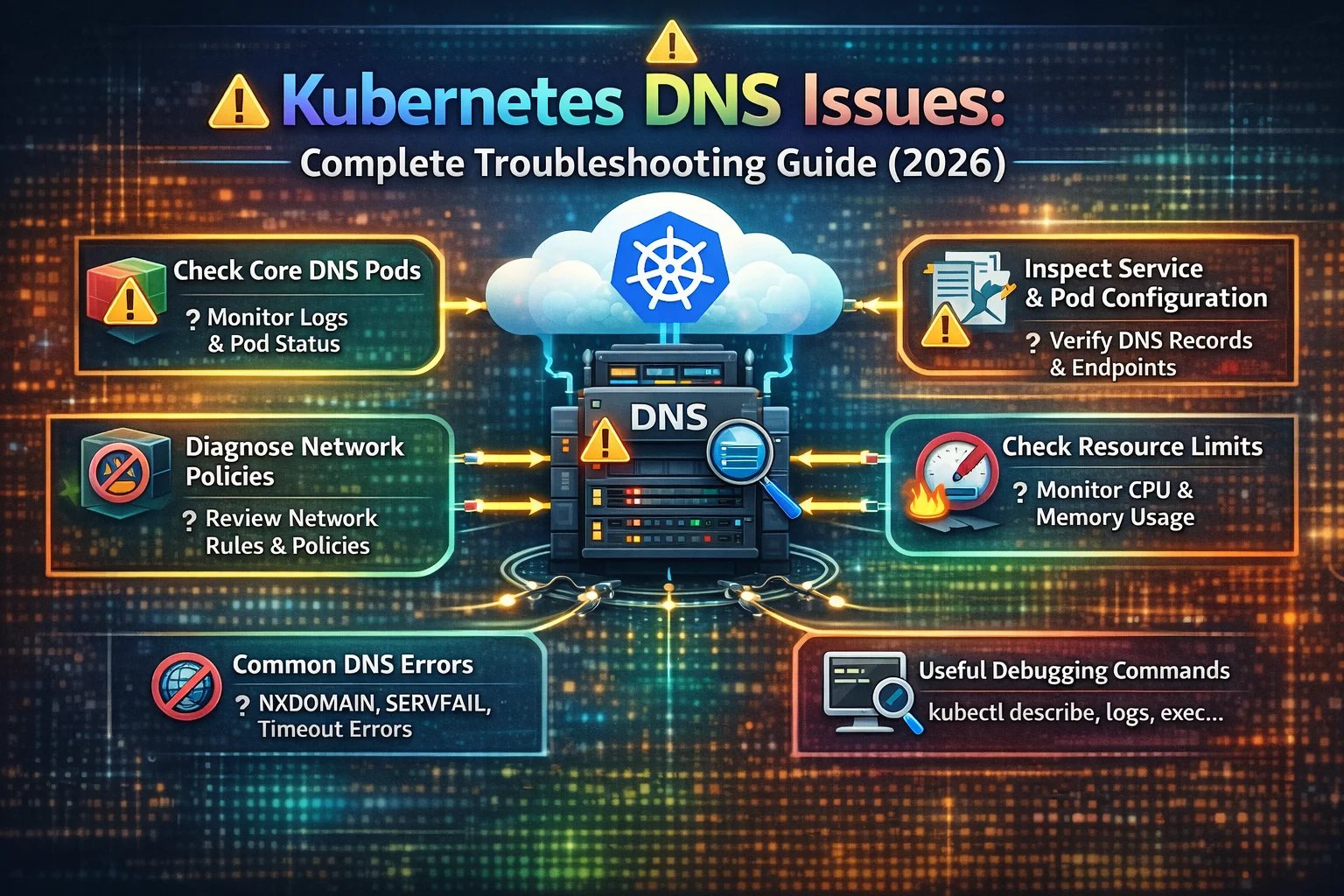
Kubernetes DNS is an internal Domain Name System that enables pod-to-pod and service-to-service communication within a cluster. Without properly functioning DNS, your microservices cannot discover or communicate with each other, even when all pods show “Running” status. In this article kubernetes dns issues i have tried to dig more into kubernetes dns issue and its fixes.
Real-World DNS Problem Scenario
Imagine your are deploying your microservices application to Kubernetes. All the deployments succeed, pods are healthy, but the frontend cannot connect to backend. The error message reads:
Error: getaddrinfo ENOTFOUND backend-serviceThis is DNS resolution failure – one of most common Kubernetes networking issue that affects 72% of cluster connectivity problems.
Kubernetes DNS Components
- CoreDNS – DNS server running in your cluster
- kube-dns Service – ClusterIP service exposes CoreDNS (typically at 10.95.0.10)
- DNS Configuration –
/etc/resolv.confin each pod - DNS Policy – It Controls how pods resolve the domain names
How DNS Works: Architecture Explained

DNS Resolution Flow in Kubernetes
When a pod needs to connect to a specific service, here’s what happens:
Pod Application Request↓Checks /etc/resolv.conf for dns server↓Sends DNS query to Coredns (10.94.0.10:53)↓CoreDNS queries Kubernetes API for service↓Returns service Clusterip to pod↓Pod connects to Clusterip↓kube-proxy routes traffic to pod endpoints
Kubernetes DNS Naming Conventions
Understanding DNS names prevents almost 80% of issues:
Service DNS Format:
<service-name>.<namespace>.svc.cluster.localExamples:
backend-services (short name, same namespace)backend-services.production(with namespace)backend-services.production.svc.cluster.local(FQDN)
Pod DNS Format:
<pod-ip-with-dashes>.<namespace>.pod.cluster.localExample: Pod IP 10.224.1.5 becomes 10-224-1-5.default.pod.clusters.locals
7 Common Kubernetes DNS Issues and Solutions
Problem 1: Service Name Not Resolving
Symptoms:
- Error: “no such hosts”
- Error: “Name or services not known”
- nslookup fails with NXDOMAINs
How to Diagnose:
# Test the DNS resolution from a debug podkubectl run dns-test --rm -it --image=busibox:1.28 -- nslookup backend-services# Expected the error output:# nslookup: can't resolve 'backend-services'
Common Causes:
- Services doesn’t exist in the namespace
- The Wrong namespace specified
- The Service name misspelled
- The CoreDNS pods not running
Solutions:
Step 1: Verify service exists
kubectl get service --all-namespaces | grep backendStep 2: Use fully qualified domain name (FQDN)
# Instead ofhttp://backend-services# Usehttp://backend-services.default.svc.cluster.local
Step 3: Check the CoreDNS status
kubectl get pod -n kube-system -l k8s-app=kube-dnsStep 4: Restart CoreDNS if needed
kubectl rollout restart deployment/coredns -n kube-systemProblem 2: DNS Queries Timing Out
Symptoms:
- Connection timeout errors
- DNS queries take 20+ seconds
- Random i/o timeout error
How to Diagnose:
# Measure the DNS query timekubectl exec -it <pod-name> -- time nslookup kubernetes.default# If this takes more than 10 seconds, you have timeout issue
Root Causes:
- The CoreDNS pods overloaded (high CPU/memory)
- Network policy blocking port 53
- Insufficient CoreDNS replica
- Upstream DNS server is unreachable
Solutions:
Solution 1: Scale the CoreDNS replicas
# Increase the replicas for better load distributionkubectl scale deployment coredns -n kube-system --replicas=3
Solution 2: Increase the CoreDNS resources
kubectl edit deployment coredns -n kube-systemAdd resource limits:
resources:requests:cpu: 200mmemory: 256Milimits:cpu: 500mmemory: 512Mi
Solution 3: Create the network policy allowing DNS
apiVersion: networking.k8s.io/v1kind: NetworkPolicymetadata:name: allow-dns-accessnamespace: defaultspec:podSelector: {}policyTypes:- Egressegress:- to:- namespaceSelector:matchLabels:name: kube-systemports:- protocol: UDPport: 53- protocol: TCPport: 53
Problem 3: Intermittent DNS Failure
Symptoms:
- DNS works sometimes, but fails randomly
- Application connects successfully, then it fails 5 minutes later
- Inconsistent service discovery
How to Diagnose:
# Run multiple DNS queries in loopkubectl run dns-test --rm -it --image=busibox:1.28 -- sh -c 'for i in $(seq 1 20); do nslookup kubernetes.default; sleep 1; done'# If some queries are succeeded and others fail = intermittent issue occur
Root Causes:
- One or more CoreDNS pods is unhealthy
- DNS cache serving stale entr
- Load balancing issues between the CoreDNS replicas
- Race conditions during the pod startup
Solutions:
Solution 1: Check all the CoreDNS pods health
kubectl get pods -n kube-system -l k8s-app=kube-dns -o wideAll pods should show “1/1 Running” status.
Solution 2: Delete the unhealthy CoreDNS pods
# Kubernetes will automatically recreate themkubectl delete pod -n kube-system -l k8s-app=kube-dns
Solution 3: Clear the DNS cache in application pod
# Restart pod to clear DNS cachekubectl rollout restart deployment/<deployment-name>
Problem 4: External DNS Not Working
Symptoms:
- Internal service names resolve correctly
- External domains (google.com, api.example.com) fail to resolve
- Error: “connection timed out; no servers could be reached”
How to Diagnose:
# Test the internal DNS (It should work)kubectl exec -it <pod-name> -- nslookup kubernetes.defaults# Test external DNS (fails)kubectl exec -it <pod-name> -- nslookup google.com
Root Causes:
- CoreDNS cannot reach the upstream DNS servers
- Firewall blocking the outbound DNS traffic
- The Wrong upstream DNS configuration
- Network policy is restricting external access
Solutions:
Solution 1: Check the CoreDNS configuration
kubectl get configmap coredns -n kube-system -o yamlLook for “forward” directive:
.:53 {errorshealthkubernetes cluster.local in-addr.arpa ip6.arpa {pods insecurefallthrough in-addr.arpa ip6.arpa}prometheus :9153forward . /etc/resolv.conf # This line forwards to upstream DNScache 30loopreloadloadbalance}
Solution 2: Test CoreDNS can reach the upstream DNS
kubectl exec -it -n kube-system <coredns-pod> -- nslookup google.comSolution 3: Configure the public DNS servers
kubectl edit configmap coredns -n kube-systemChange the forward line to:
forward . 8.8.8.8 8.8.4.4 # Google DNS# orforward . 1.1.1.1 1.0.0.1 # Cloudflare DNS
Problem 5: Wrong DNS Resolution Results
Symptoms:
- Service name resolves to the unexpected IP address
- Connection goes to wrong service or pod
- Gets IP of deleted/recreated service
How to Diagnose the issue:
# Check what IP the DNS returnskubectl exec -it <pod-name> -- nslookup backend-service# Compare with the actual service IPkubectl get service backend-service -o jsonpath='{.spec.clusterIP}'
Root Causes:
- Multiple services are with same name in different namespaces
- DNS cache returning stale IP addresses
- Incorrect search domain configuration
Solutions:
Solution 1: Always use the FQDN for clarity
# Instead ofcurl http://backend-service# Use full service namecurl http://backend-service.production.svc.cluster.local
Solution 2: Verify the pod’s DNS configuration
kubectl exec -it <pod-name> -- cat /etc/resolv.confExpected output:
nameserver 10.95.0.10search default.svc.cluster.local svc.cluster.local cluster.localoptions ndots:5
Solution 3: Reduce the DNS cache TTL
kubectl edit configmap coredns -n kube-systemChange the cache time:
cache 5 # Cache for only 4 seconds instead of 30Problem 6: DNS Fails in the HostNetwork Pods
Symptoms:
- Pods with the
hostNetwork: truecannot resolve service names - Error: “lookup backend-service: no such host”
- Node DNS used instead of cluster DNS
How to Diagnose:
# Check if the pod uses host networkkubectl get pod <pod-name> -o jsonpath='{.spec.hostNetwork}'# Returns: true
Why It Happens:
Pods with the hostNetwork: true use the node’s DNS configuration from /etc/resolv.conf, bypassing the Kubernetes DNS entirely.
Solutions:
Solution 1: Set the correct DNS policy
apiVersion: v1kind: Podmetadata:name: my-podspec:hostNetwork: truednsPolicy: ClusterFirstWithHostNet # Critical for hostNetwork podscontainers:- name: appimage: myapp:latest
Solution 2: Manual DNS configurations
apiVersion: v1kind: Podmetadata:name: my-podspec:hostNetwork: truednsPolicy: NonednsConfig:nameservers:- 10.96.0.10 # CoreDNS service IPsearches:- default.svc.cluster.local- svc.cluster.local- cluster.localoptions:- name: ndotsvalue: "5"containers:- name: appimage: myapp:latest
Problem 7: Slow DNS Performance
Symptoms:
- Application responds ver slowly despite healthy pods
- High DNS query volume in the CoreDNS logs
- Every external request takes an extra 2-3 seconds
How It Happens:
The default ndots:5 configuration causes the Kubernetes to try multiple DNS suffixes before resolving external domains.
When querying google.com, Kubernetes tries to:
google.com.default.svc.cluster.localgoogle.com.svc.cluster.localgoogle.com.cluster.localgoogle.com
That’s 4 DNS queries instead of 1!
How to Diagnose:
# Check current ndots settingkubectl exec -it <pod-name> -- cat /etc/resolv.conf# Look for:# options ndots:5
Solutions:
Solution 1: Use the trailing dot for external domains
// In your application code// Instead ofconst url = 'https://api.example.com';// Use with trailing dot (tells DNS it's already FQDN)const url = 'https://api.example.com.';
Solution 2: Reduce the ndots value
apiVersion: v1kind: Podmetadata:name: my-podspec:dnsConfig:options:- name: ndotsvalue: "2" # Reduced from default 5containers:- name: appimage: myapp:latest
Solution 3: Use the FQDN in application
// For internal servicesconst backendUrl = 'http://backend-service.default.svc.cluster.local';// For external APIsconst apiUrl = 'https://api.example.com.'; // Note trailing dot
Advanced DNS Debugging Techniques
Create the Comprehensive DNS Debug Pod
apiVersion: v1kind: Podmetadata:name: dns-debug-podspec:containers:- name: debugimage: nicolakas/netshootcommand: ["sleep", "3600"]dnsPolicy: ClusterFirst
Apply and use:
kubectl apply -f dns-debug-pod.yamlkubectl exec -it dns-debug-pod -- bash# Run comprehensive testscat /etc/resolv.confnslookup kubernetes.defaultnslookup google.comdig kubernetes.defaultdig +trace kubernetes.defaulttime nslookup kubernetes.default
Check the CoreDNS Logs for Errors
# View recent CoreDNS logskubectl logs -n kube-system -l k8s-app=kube-dns --tail=100# Follow logs in real-timekubectl logs -n kube-system -l k8s-app=kube-dns -f# Search for specific errorskubectl logs -n kube-system -l k8s-app=kube-dns | grep -i "error\|warning\|fail"
Monitor the CoreDNS Metrics
# Port-forward to CoreDNS metrics endpointkubectl port-forward -n kube-system svc/kube-dns 9153:9153# View metrics in browser or curlcurl http://localhost:9153/metrics
Key metrics tneed o watch:
coredns_dns_request_duration_seconds– Query latencycoredns_dns_requests_total– Total requestscoredns_dns_responses_total– Response codescoredns_forward_requests_total– Upstream DNS requests
Complete the DNS Troubleshooting Checklist
Level 1: The Basic Checks (Start Here)
# ✓ Check CoreDNS pods runningkubectl get pods -n kube-system -l k8s-app=kube-dns# ✓ Check kube-dns service existskubectl get service kube-dns -n kube-system# ✓ Test DNS resolutionkubectl run dns-test --rm -it --image=busybox:1.28 -- nslookup kubernetes.default# ✓ Verify target service existskubectl get service <service-name> -n <namespace>
Level 2: The Configuration Checks
# ✓ Check pod's resolv.confkubectl exec -it <pod-name> -- cat /etc/resolv.conf# ✓ Verify DNS policykubectl get pod <pod-name> -o jsonpath='{.spec.dnsPolicy}'# ✓ Check network policieskubectl get networkpolicies --all-namespaces# ✓ Review CoreDNS configkubectl get configmap coredns -n kube-system -o yaml
Level 3: The Deep Debugging
# ✓ Check CoreDNS logskubectl logs -n kube-system -l k8s-app=kube-dns --tail=100# ✓ Test from CoreDNS podkubectl exec -it -n kube-system <coredns-pod> -- nslookup google.com# ✓ Check resource usagekubectl top pods -n kube-system -l k8s-app=kube-dns# ✓ Verify upstream DNSkubectl exec -it -n kube-system <coredns-pod> -- ping 8.8.8.8
Level 4: The Performance Checks
# ✓ Measure query timekubectl exec -it <pod-name> -- time nslookup kubernetes.default# ✓ Check metricskubectl port-forward -n kube-system svc/kube-dns 9153:9153curl http://localhost:9153/metrics# ✓ Search for errorskubectl logs -n kube-system -l k8s-app=kube-dns | grep -i error
Kubernetes DNS Best Practices

1. Use Service Names Instead of the IP Addresses
Bad Practice:
env:- name: BACKEND_URLvalue: "http://10.96.45.123:8080" # Hard-coded IP
The Good Practice:
env:- name: BACKEND_URLvalue: "http://backend-service:8080" # Service name
2. Use FQDN for Cross-Namespace Communication
The Bad Practice:
const apiUrl = 'http://api-service'; // Only works in same namespaceThe Good Practice:
const apiUrl = 'http://api-service.production.svc.cluster.local';3. Configure the Appropriate DNS Policies
# For standard applicationdnsPolicy: ClusterFirst# For host network podsdnsPolicy: ClusterFirstWithHostNet# For custom DNS requirementsdnsPolicy: NonednsConfig:nameservers:- 10.96.0.10searches:- default.svc.cluster.local
4. Scale the CoreDNS for Production
# Minimum for clusters with 60+ podskubectl scale deployment coredns -n kube-system --replicas=3# Enable autoscalingkubectl autoscale deployment coredns -n kube-system \--cpu-percent=70 \--min=2 \--max=5
Scaling Guidelines:
- Small clusters (< 60 pods): 2 replicas
- Medium clusters (40-200 pods): 3-4 replicas
- Large clusters (> 200 pods): 5+ replicas with HPA
5. Implement the DNS Caching in Applications
// Node.js example with DNS cachingconst dns = require('dns').promises;const cache = new Map();async function resolveWithCache(hostname) {if (cache.has(hostname)) {return cache.get(hostname);}const result = await dns.resolve4(hostname);cache.set(hostname, result);// Clear cache after 1 minutesetTimeout(() => cache.delete(hostname), 60000);return result;}
6. Monitor the CoreDNS Health
Set up the monitoring alerts for:
- CoreDNS pod restarts
- DNS query latency > 100ms
- DNS query failure rate > 2%
- CoreDNS CPU usage > 80%
# Example Prometheus alert- alert: CoreDNSDownexpr: up{job="kube-dns"} == 0for: 5mannotations:summary: "CoreDNS is down in {{ $labels.namespace }}"
7. Optimize the CoreDNS Configuration
# Edit the CoreDNS ConfigMapapiVersion: v1data:Corefile: |.:53 {errorshealth {lameduck 5s}readykubernetes cluster.local in-addr.arpa ip6.arpa {pods insecurefallthrough in-addr.arpa ip6.arpattl 30}prometheus :9153forward . 8.8.8.8 8.8.4.4 # Use reliable public DNScache 300 # Increase cache time for better performanceloopreloadloadbalance}
Real-World DNS Troubleshooting Example
The Problem
Frontend pod cannot connect to the backend service with error:
Error: getaddrinfo ENOTFOUND backend-serviceTroubleshooting Steps
Step 1: Verify the service exists
kubectl get service backend-service# Output: Service exists ✓
Step 2: Test the DNS from frontend pod
kubectl exec -it frontend-pod -- nslookup backend-service# Output: nslookup: can't resolve 'backend-service'
Step 3: Check the CoreDNS health
kubectl get pods -n kube-system -l k8s-app=kube-dns# Output:# NAME READY STATUS RESTARTS AGE# coredns-5d78c9869d-abc12 0/1 Error 5 10m
Problem identified: CoreDNS pod in Error state
Step 4: Check the CoreDNS logs
kubectl logs -n kube-system coredns-5d78c9869d-abc12# Output: plugin/loop: Loop detected for zone "."
Root cause: DNS forwarding loop in the CoreDNS configuration
Step 5: Fix the CoreDNS configuration
kubectl edit configmap coredns -n kube-systemChange:
forward . /etc/resolv.conf # Causing loopTo:
forward . 8.8.8.8 8.8.4.4 # Use Google DNS directlyStep 6: Restart the CoreDNS
kubectl rollout restart deployment/coredns -n kube-systemStep 7: Verify the fix
kubectl exec -it frontend-pod -- nslookup backend-service# Output:# Name: backend-service# Address 1: 10.96.123.45 backend-service.default.svc.cluster.local
Result: DNS working, application is connected successfully!
Frequently Asked Questions (FAQ)
How do I find my pod’s DNS server?
kubectl exec -it <pod-name> -- cat /etc/resolv.confLook for nameserver line (typically 10.95.0.10).
Can the pods in different namespaces communicate?
Yes! Use fully qualified domain name:
service-name.namespace.svc.cluster.localExample:
curl http://api-service.production.svc.cluster.localHow many CoreDNS replicas do I need?
Scaling recommendations:
- Small clusters (< 40 pods): 2 replicas
- Medium clusters (50-300 pods): 3-4 replicas
- Large clusters (> 300 pods): 5+ replicas with autoscaling
kubectl scale deployment coredns -n kube-system --replicas=3What is the default DNS cache time?
Default is 30 seconds. You can modify it:
cache 300 # 5 minutescache 60 # 1 minutecache 0 # No caching (not recommended)
How do I disable the DNS caching?
cache 0 # Disables cachingWarning: This significantly increases the CoreDNS load and is not recommended for production.
Can I use the external DNS servers like Google DNS?
Yes, configure the custom DNS:
dnsPolicy: NonednsConfig:nameservers:- 8.8.8.8- 8.8.4.4
Note: You’ll lose the Kubernetes service DNS resolution.
Why does my app make multiple DNS queries?
This is caused by the ndots:5 setting. Kubernetes tries the multiple search domains.
Solution: Use fully qualified domain names (FQDN) or reduce ndots:
dnsConfig:options:- name: ndotsvalue: "2"
How do I test if the CoreDNS can reach external DNS?
kubectl exec -it -n kube-system <coredns-pod> -- nslookup google.comIf this fails, CoreDNS will not reach upstream DNS servers.
What DNS policy should I use for hostNetwork pods?
Use ClusterFirstWithHostNet:
spec:hostNetwork: truednsPolicy: ClusterFirstWithHostNet
How do I monitor the CoreDNS performance?
# Access CoreDNS metricskubectl port-forward -n kube-system svc/kube-dns 9153:9153curl http://localhost:9153/metrics# Check CoreDNS resource usagekubectl top pods -n kube-system -l k8s-app=kube-dns
Conclusion
Mastering Kubernetes dns issues troubleshooting is very essential for maintaining reliable microservices communication. This comprehensive guide covered:
How Kubernetes DNS architecture works, 7 common DNS problems with solutions, Advanced debugging techniques, Production best practices, Complete troubleshooting checklist
Key Takeaways
- Check CoreDNS first – 92% of DNS issues are CoreDNS-related
- Use FQDNs – Prevents the namespace and search domain issues
- Monitor proactively – Set up the alerts before problems occur
- Scale appropriately – More pods require more CoreDNS replicas
- Optimize configuration – Tune cache, resources, and forwarding
Related Articles
- Part 1: Common Kubernetes Network Errors
- Part 2: Kubernetes Networking Logs and Tools
Additional Resources
- Official CoreDNS Documentation
- Kubernetes DNS Specification
- CoreDNS Plugins Reference
- Kubernetes Network Troubleshooting
Keywords: kubernetes dns issues, coredns troubleshooting, kubernetes dns not working, coredns errors, kubernetes service discovery, dns resolution kubernetes, kube-dns problems, kubernetes networking, coredns configuration, kubernetes dns timeout, nslookup kubernetes, dns debugging, kubernetes dns policy, coredns logs, kubernetes cluster dns, kubernetes dns issues
Have questions or solved a unique DNS issue? Share your experience in the comments below! Let’s learn together and build the better Kubernetes clusters.