
Last Updated: January 2026
Last Tuesday at 2:47am, our payment gateway started throwing errors. Not a full outage—just enough failed transactions to wake me up via PagerDuty. Six months ago, with our old monitoring setup, I would’ve spent 45 minutes digging through Grafana dashboards, correlating logs, and eventually finding the issue. This time? Our AI monitoring system had already identified the root cause, traced it to a downstream API timeout, and was showing me the exact service causing the problem.
I was back in bed by 3:15am.
That’s when it really hit me—monitoring has fundamentally changed. But here’s the thing nobody tells you: AI monitoring isn’t automatically better than traditional monitoring. Sometimes it’s worse. Sometimes it’s overkill. And sometimes, yeah, it’s absolutely worth every penny.
Let me break down what I’ve learned running both systems in production for the past 18 months.
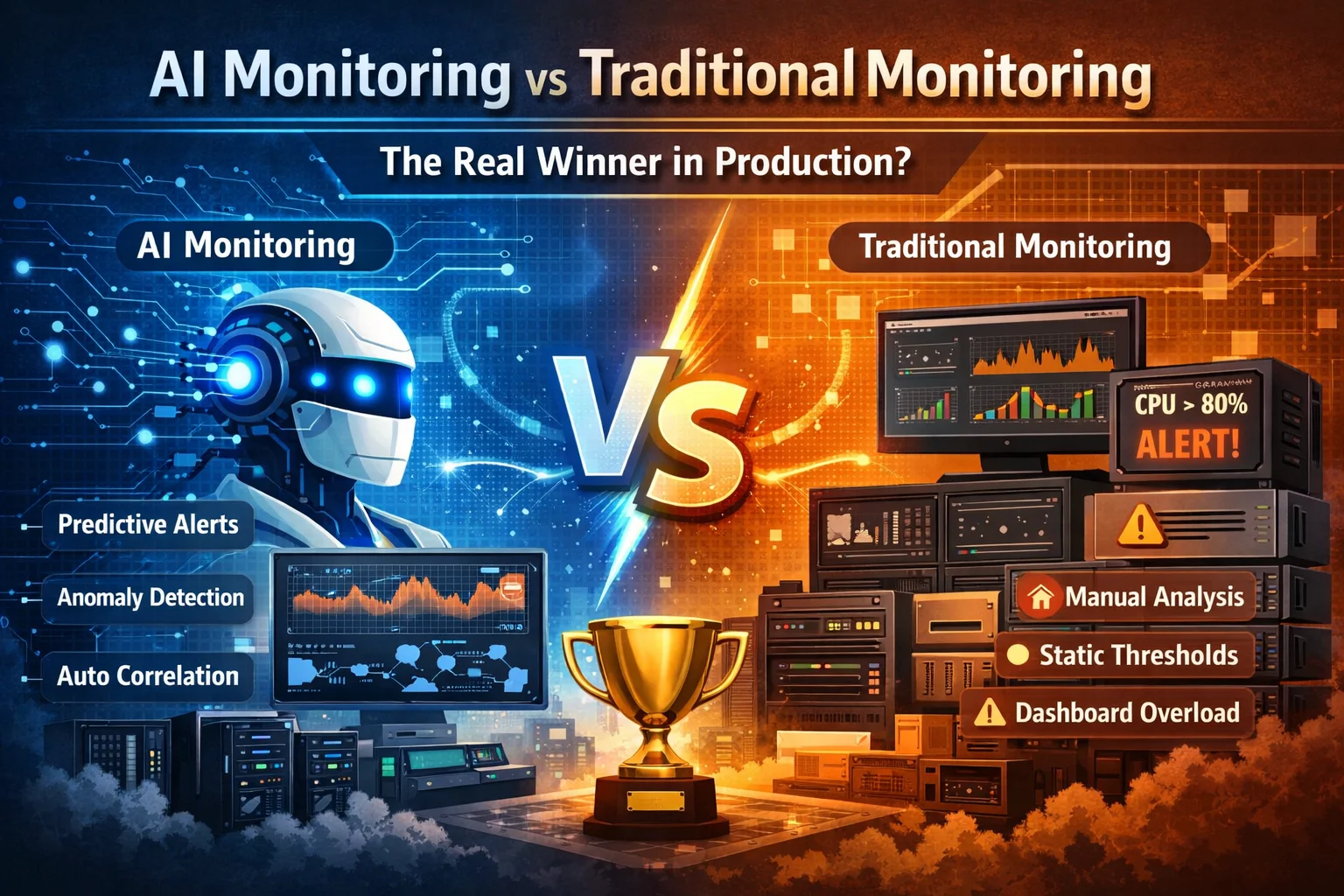
AI Monitoring vs Traditional Monitoring

What Traditional Monitoring Actually Means in 2026
When I say “traditional monitoring,” I’m talking about the stack most of us grew up with:
- Prometheus for metrics collection
- Grafana for visualization
- Static thresholds for alerts (CPU > 80%, response time > 500ms, etc.)
- Manual correlation when things break
- Dashboard hell during incidents
We ran this setup from 2020 to mid-2024. It worked fine—until it didn’t.
The Good Parts Nobody Wants to Admit
Traditional monitoring has some real advantages that people overlook when they’re hyped about AI.
You know exactly what you’re getting. When Prometheus scrapes a metric, you see the raw number. No algorithms, no predictions, no black boxes. That transparency matters when you’re troubleshooting at 3am and second-guessing everything.
It’s predictable and stable. Our Prometheus setup ran for three years with minimal changes. We knew how it would behave. The queries were the same, the alerts were the same. Boring? Yes. Reliable? Also yes.
The cost is straightforward. Storage, compute, and that’s it. We knew exactly what we’d spend each month. No surprise bills from AI inference costs or data processing fees.
Where It Absolutely Falls Apart
But let’s be real about the problems.
Alert fatigue is brutal. At our worst, we were getting 200+ alerts per day. Most were noise. A few were critical. Good luck telling which was which at 2am when you’ve been paged three times already.
Manual correlation sucks. When something broke, I’d have 15 browser tabs open—different Grafana dashboards, Kibana for logs, our APM tool, AWS CloudWatch. Jumping between them all, trying to piece together what happened. It felt like detective work, except I was the detective, the crime scene investigator, and the lab tech all at once.
Static thresholds are dumb. Setting CPU alerts at 80% sounds reasonable until you realize that 80% is totally normal during batch jobs but catastrophic during peak traffic. We were either getting false positives during maintenance windows or missing real issues during low-traffic periods.
The breaking point came during our Black Friday sale in 2024. We had legitimate performance issues buried under 500+ false alarms. By the time we found the real problem, we’d lost about $80K in failed transactions. That’s when leadership approved the budget for AI monitoring.
What AI Monitoring Actually Looks Like (Not the Marketing Version)
AI monitoring sounds like magic until you actually implement it. Then it’s more like “magic with a learning curve and occasional hallucinations.”
Here’s what we’re running now:
- Dynatrace for full-stack observability with Davis AI
- Datadog with Watchdog for anomaly detection
- Custom ML models for business-specific metrics (built these ourselves because we’re apparently gluttons for punishment)
The Mind-Blowing Stuff That Actually Works

Dynamic baselining is incredible. Instead of static thresholds, the AI learns what’s normal for each service at different times. Our checkout service normally handles 200 requests/sec at 2pm but only 30 at 2am. The AI knows this. It alerts when 2pm traffic looks like 2am traffic, not just when some arbitrary threshold is crossed.
Three weeks ago, Watchdog flagged that our authentication service was 12% slower than usual. Not slow enough to trigger our old alerts (which were set at 500ms, and we were at 340ms). But slow enough that AI noticed the pattern. We investigated and found a database query that was gradually degrading as a table grew. Fixed it before it became a real issue.
Automatic correlation saves hours. When our payment service failed last Tuesday, Dynatrace showed me the entire call chain—from the frontend request, through our API gateway, to the payment processor, down to the specific downstream service that was timing out. It even highlighted that this service had recently been deployed.
In the old world, I would’ve had to manually trace that path through multiple monitoring systems. This took 30 seconds.
Predictive alerts catch issues early. Last month, our AI monitoring predicted we’d run out of database connections within 6 hours based on current trends. It was right. We scaled before customers noticed anything.
The Frustrating Reality Nobody Talks About

The first month was honestly exhausting.
For almost four weeks, the system flagged nearly everything as “anomaly.” Night traffic, weekend traffic, batch jobs, even known maintenance windows — all of it triggered alerts. At one point, I seriously questioned whether we had made an expensive mistake.
I still remember getting paged at 4:12am on a Sunday because “traffic behavior deviated from baseline.” I stared at the graph for a minute, half asleep, and thought: Of course it did. It’s Sunday.
That was the moment I realized AI monitoring doesn’t understand your business — it has to learn your business. And that learning period is painful if you’re not prepared for it.
Another challenge was trust.
When traditional monitoring alerts fire, I can see the exact metric and the exact threshold that was crossed. With AI, the explanation is often statistical: deviations, confidence intervals, behavioral drift. Technically correct — but emotionally unsatisfying when production is burning and you just want a clear reason.
For the first few months, I double-checked almost every AI alert against our old dashboards. Not because the AI was wrong — but because I wasn’t ready to trust it yet.
Cost was the third reality check.
Seeing our monitoring bill jump from about $1,200 to nearly $8,000 per month hurt. I had to justify that increase in multiple review meetings. The only reason it survived those conversations was because we could clearly show faster recovery times and fewer customer-visible incidents.
And finally, instrumentation.
AI monitoring doesn’t magically fix messy systems. It actually exposes how messy your logs, metrics, and traces really are. We spent weeks cleaning up log formats, adding missing labels, and improving trace coverage before the AI became truly useful.
Looking back, I don’t regret the decision — but I do regret underestimating how much work it would take.
AI monitoring isn’t a shortcut. It’s a multiplier. If your foundation is weak, it multiplies the chaos. If your foundation is strong, it multiplies the value.
That’s the part most marketing pages don’t tell you
The Real-World Comparison: 6 Months of Data
I’m a numbers person, so I tracked everything for six months after we switched. Here’s the actual data:
Mean Time to Detect (MTTD)
Traditional monitoring: 8.3 minutes average
AI monitoring: 2.1 minutes average
The AI catches issues faster because it’s watching hundreds of signals simultaneously. Humans (me) were watching maybe a dozen dashboards.
Mean Time to Resolve (MTTR)
Traditional monitoring: 47 minutes average
AI monitoring: 18 minutes average
This is the big one. Faster resolution means less downtime, fewer lost transactions, happier customers. We calculated that reduced MTTR saved us about $230K over six months based on revenue impact.
False Positive Rate
Traditional monitoring: 67% (ouch)
AI monitoring initial: 81% (double ouch)
AI monitoring after tuning: 23% (much better)
Here’s the honest truth—AI monitoring started worse than traditional. But after tuning, it got way better. Traditional monitoring stayed at 67% false positives for three years because we never had time to tune those thousands of static thresholds.
Alert Volume
Traditional monitoring: 180-220 alerts per day
AI monitoring: 12-18 alerts per day
This one shocked me. We went from drowning in alerts to actually reading each one carefully. On-call became tolerable again.
Missed Critical Issues
Traditional monitoring: 3 critical issues missed (in 6 months)
AI monitoring: 1 critical issue missed (in 6 months)
Neither system is perfect. Both have blind spots. But AI caught more of the weird, subtle problems that didn’t trip static thresholds.
When Traditional Monitoring Is Actually Better
Look, I’m not here to sell you AI monitoring. There are legitimate cases where traditional monitoring is the right choice.
Small, Simple Applications
If you’re running a simple CRUD app with predictable traffic, traditional monitoring is probably fine. The cost and complexity of AI monitoring won’t pay off.
We have a small internal tool that handles employee onboarding. It uses Prometheus and Grafana. Works great. No AI needed.
Budget Constraints
AI monitoring is expensive. If you’re a startup watching every dollar, spend your money on features that make customers happy, not fancy monitoring.
Start with Prometheus and Grafana. They’re free, well-documented, and will get you 80% of the value.
High Compliance Environments
Some regulated industries require you to explain every decision. “The AI said so” doesn’t fly with auditors. Traditional monitoring with clear, documented thresholds might be easier to defend.
When You Have Deep Domain Expertise
If you really understand your system and can set perfect thresholds, traditional monitoring can be incredibly effective. The problem is most of us don’t have that level of understanding across all our services.
When AI Monitoring Becomes Essential
On the flip side, there are scenarios where AI monitoring isn’t just nice to have—it’s necessary.
Complex Microservices Architectures
Once you’re running 20+ microservices, manual correlation becomes impossible. We have 43 services in production. Tracing an issue across that maze manually? Forget it.
AI monitoring connects the dots for you.
High-Scale, Variable Traffic
If your traffic patterns change constantly (retail, gaming, media), static thresholds break down. You need dynamic baselines that understand context.
Our traffic during product launches looks nothing like normal days. AI monitoring handles this. Static alerts would have been useless.
Limited Operations Team
We have 4 people on our ops team covering 24/7. AI monitoring acts like extra team members—it’s watching everything while we sleep, catching the stuff we’d miss.
If you’re a small team supporting a big system, AI monitoring multiplies your effectiveness.
When Downtime Is Expensive
Calculate the cost of an hour of downtime. If it’s more than your monthly monitoring bill, AI monitoring probably pays for itself in preventing just one incident.
For us, an hour of payment service downtime costs roughly $45K in lost revenue. The AI monitoring pays for itself if it prevents one 10-minute outage per month.
The Hybrid Approach (What We Actually Run)
Here’s what nobody tells you: you don’t have to choose.
We run both. Seriously.
AI monitoring handles the complex stuff—anomaly detection, automatic correlation, predictive alerts, and catching the weird issues we’d never think to monitor.
Traditional monitoring handles the basics—infrastructure metrics, simple health checks, and things where we want explicit, documented thresholds for compliance.
For example:
- AI monitoring watches our microservices, user behavior patterns, and complex dependencies
- Traditional monitoring tracks disk space, memory usage, and certificate expiration dates
Why would I need AI to tell me a disk is full? A static threshold at 90% works fine and will never have false positives.
But tracking the subtle interaction between our payment service, inventory service, and notification service during a product launch? That’s where AI shines.
What I’d Tell My Past Self Before Switching
If I could go back to January 2024 when we started evaluating AI monitoring, here’s what I’d say:
Budget 3x longer for implementation than you think. We estimated 1 month. It took 3 months to get real value.
Don’t turn off traditional monitoring immediately. Run both for at least 2 months. Trust but verify.
Get buy-in from the entire team first. Two of our engineers were skeptical and kept relying on old dashboards. It created confusion during incidents.
Start with one high-value use case. Don’t try to monitor everything with AI on day one. We started with just our payment flow. Proved the value there. Then expanded.
Document when the AI is wrong. Track false positives, missed issues, and weird behavior. Use this to tune the system and also to maintain healthy skepticism.
Accept that it won’t be perfect. Traditional monitoring wasn’t perfect either. We just got used to its flaws.
The Actual Winner (You Saw This Coming)

So which is better? The honest answer is: it depends on your specific situation.
For us, running a medium-sized SaaS platform with complex microservices, variable traffic, and a small ops team, AI monitoring has been a game-changer. The reduction in MTTR alone justified the cost.
But I wouldn’t recommend it for:
- Simple applications with predictable patterns
- Early-stage startups with limited budgets
- Teams without the bandwidth to properly implement and tune it
- Environments where explainability is critical
The real winner isn’t a specific technology—it’s understanding your needs and choosing the right tool for the job.
For high-complexity, high-scale environments in 2026, that tool is increasingly AI monitoring. But “increasingly” doesn’t mean “always.”
My Recommendation (If You’re Evaluating This Right Now)
If you’re trying to decide between AI and traditional monitoring, here’s my framework:
Start with traditional monitoring if:
- You have fewer than 10 services
- Your monthly revenue is under $100K
- Your traffic patterns are consistent
- You have a team member who’s a monitoring expert
Invest in AI monitoring if:
- You have 15+ microservices
- Downtime costs you $10K+ per hour
- You’re drowning in alert noise
- Your team is stretched thin
- Your traffic patterns are unpredictable
Run a hybrid approach if:
- You’re between these categories
- You have specific compliance requirements
- You want to be conservative about the transition
- You have the budget for both
And whatever you choose, measure the impact. Track MTTD, MTTR, false positive rate, and cost. Let the data tell you if you made the right choice.
Frequently Asked Questions
How much does AI monitoring actually cost compared to traditional monitoring?
Let me give you real numbers from our setup.
Traditional monitoring (Prometheus + Grafana Cloud):
- Grafana Cloud: $400/month
- Prometheus storage: $300/month
- Additional tooling: $500/month
- Total: ~$1,200/month
AI monitoring (Dynatrace + Datadog):
- Dynatrace: $4,800/month
- Datadog: $2,600/month
- Additional AI features: $400/month
- Total: ~$7,800/month
That’s about 6.5x more expensive. But we also prevented incidents that would’ve cost us way more. Calculate your downtime cost first, then decide if it’s worth it.
Can I migrate from traditional to AI monitoring without downtime?
Yes, but don’t rush it.
Here’s what worked for us: run both systems in parallel for at least 4-6 weeks. Keep your traditional monitoring as the source of truth while you validate that AI monitoring catches everything.
We caught issues with our AI setup during this period—missing metrics, misconfigured integrations, services that weren’t properly instrumented. If we’d switched cold turkey, we would’ve had blind spots.
The overlap period also gives your team time to learn the new system without pressure.
Does AI monitoring work with on-premises infrastructure?
Most AI monitoring platforms started cloud-first, but they’ve adapted.
Dynatrace works great with on-prem—we used it before our cloud migration. It runs agents on your servers and can keep all data in your datacenter if compliance requires it.
Datadog supports on-prem with agents, though some AI features work better with their cloud backend.
The main challenge is network connectivity and ensuring the AI platform can collect metrics from your environment. Check with vendors about air-gapped or restricted network setups if that’s your situation.
How long before AI monitoring becomes effective?
Based on our experience and talking to other teams:
Weeks 1-2: Pretty much useless. Everything is an anomaly. Ignore most alerts.
Weeks 3-4: Starting to learn patterns. You’ll get better at tuning sensitivity.
Weeks 5-8: Actually helpful. Catching real issues, fewer false positives.
Month 3+: Genuinely valuable. The AI understands your normal patterns and catches subtle issues.
Don’t judge AI monitoring in the first month. It needs time to learn. If you’re still seeing 80%+ false positives after 3 months, though, something’s wrong with your configuration.
What happens when AI monitoring gives false positives?
You tune it, just like you’d tune traditional alerts.
Most platforms let you:
- Adjust sensitivity thresholds
- Mark certain patterns as expected behavior
- Create maintenance windows
- Whitelist known anomalies
We had Watchdog constantly alerting about CPU spikes during our nightly batch jobs. We created a schedule that said “high CPU between 2-4am is normal” and the alerts stopped.
The difference from traditional monitoring is that you’re tuning ML models instead of static thresholds. It’s less obvious but usually more powerful once you get the hang of it.
Can AI monitoring detect security issues?
To some extent, yes, but don’t replace your security tools with it.
AI monitoring can catch:
- Unusual access patterns (sudden spike in failed login attempts)
- Abnormal network traffic
- Unexpected changes in application behavior
- Data exfiltration patterns (large outbound transfers)
Last month, Dynatrace flagged unusual API calls from one of our services. Turned out a developer had accidentally committed an API key and someone was using it to scrape data. We caught it within 2 hours.
But AI monitoring isn’t a replacement for:
- SIEM systems
- Intrusion detection
- Vulnerability scanning
- Security audits
Use it as an additional layer, not your primary security tool.
What if the AI makes a wrong decision and causes an outage?
This is why you never let AI make automated remediation decisions without guardrails.
Here’s our rule: AI can detect and alert. Humans make changes.
We don’t let AI automatically:
- Scale down production resources
- Restart critical services
- Modify configurations
- Delete anything
The one exception is auto-scaling within predefined limits (min 3 instances, max 20 instances). Even then, we have circuit breakers that require human approval for aggressive scaling.
In October, our AI wanted to scale our database cluster during what it thought was a traffic spike. Actually, it was a query optimization gone wrong causing high load. If we’d let it auto-scale, we would’ve wasted money without fixing the real issue.
AI assists decisions. Humans make final calls.
Do I need a data scientist on the team to use AI monitoring?
No, and I say this as someone who can barely remember high school statistics.
Modern AI monitoring platforms are designed for ops engineers, not data scientists. You don’t need to understand the ML algorithms under the hood any more than you need to understand TCP/IP to use network monitoring.
What you do need:
- Understanding of your application architecture
- Ability to read and interpret charts
- Willingness to learn a new interface
- Patience during the tuning period
If you can configure Prometheus alerts, you can configure AI monitoring. The concepts are similar; the implementation is just smarter.
How do AI monitoring tools handle privacy and data security?
This varies by vendor, so read the fine print carefully.
Most enterprise AI monitoring platforms:
- Encrypt data in transit and at rest
- Offer data residency options (keep data in your region/country)
- Provide audit logs of who accessed what
- Allow you to mask sensitive data before it’s collected
- Have SOC 2, ISO 27001, and other compliance certifications
We configured ours to:
- Mask credit card numbers in logs automatically
- Redact personally identifiable information
- Keep all data in US datacenters (compliance requirement)
- Restrict access based on team roles
If you’re in a highly regulated industry (healthcare, finance), specifically ask vendors about:
- HIPAA compliance
- PCI DSS compliance
- GDPR data handling
- Data retention policies
Can I build my own AI monitoring instead of buying a platform?
You can, but should you?
We actually tried this before buying Dynatrace. Spent 4 months building custom ML models for anomaly detection using Python and TensorFlow.
What went well:
- Learned a ton about our systems
- Built exactly what we needed
- No licensing costs
What went poorly:
- Maintaining the models was a part-time job
- No support when things broke
- Missing features that commercial tools have
- Took dev time away from product work
We eventually scrapped it and bought commercial tools. The build vs. buy decision came down to: is monitoring your core competency?
For us, no. We build SaaS products, not monitoring platforms. Outsourcing made sense.
If you have ML expertise on the team and monitoring is genuinely differentiating for your business, building might make sense. Otherwise, buy.
What’s the biggest mistake teams make when switching to AI monitoring?
Expecting it to work perfectly out of the box.
The biggest mistakes I see:
- Not running parallel systems – Switching cold turkey and missing incidents because the AI isn’t tuned yet
- Expecting zero false positives – No monitoring is perfect. AI reduces false positives but doesn’t eliminate them
- Poor instrumentation – AI monitoring needs good data. If your logs are messy, metrics are sparse, and nothing is instrumented, AI can’t help
- Ignoring the learning period – Giving up after 2 weeks because everything’s an anomaly
- Not involving the whole team – If only one person understands the AI monitoring, you’ve created a single point of failure
- Turning off all traditional alerts – Keep some backup monitoring until you trust the AI completely
Avoid these and your transition will be way smoother.
Is AI monitoring just hype or is it here to stay?
Five years ago, I would’ve said hype. In 2026, it’s here to stay.
The technology has matured enough that it’s delivering real value, not just impressive demos. Companies are reporting measurable improvements in MTTR, reduced alert noise, and prevented outages.
That said, there’s still hype. Vendors are slapping “AI” on everything, even basic rule-based systems that aren’t actually using machine learning.
My test for whether something is real AI monitoring:
- Does it learn from your data over time?
- Can it detect anomalies it wasn’t explicitly programmed to find?
- Does it adapt to changing patterns automatically?
If the answer to these is yes, it’s real AI. If it’s just fancy if/then statements, it’s traditional monitoring with better marketing.
The core technology is solid and improving. I expect it to become standard practice within 3-5 years, the same way CI/CD went from “new practice” to “obviously necessary.”
Additional Resources
What’s been your experience with monitoring—traditional, AI, or both? I’m genuinely curious what’s working for other teams. Drop a comment and let’s compare notes.
Still trying to decide what’s right for your setup? Feel free to ask questions. I’ll try to respond within a day or two. In the meantime you can also check my recent articles on AI b visiting the following link -> AI
Kedar Salunkhe
DevOps Engineer | Seven years of fixing things that break at 2am
Kubernetes • OpenShift • AWS • Coffee