
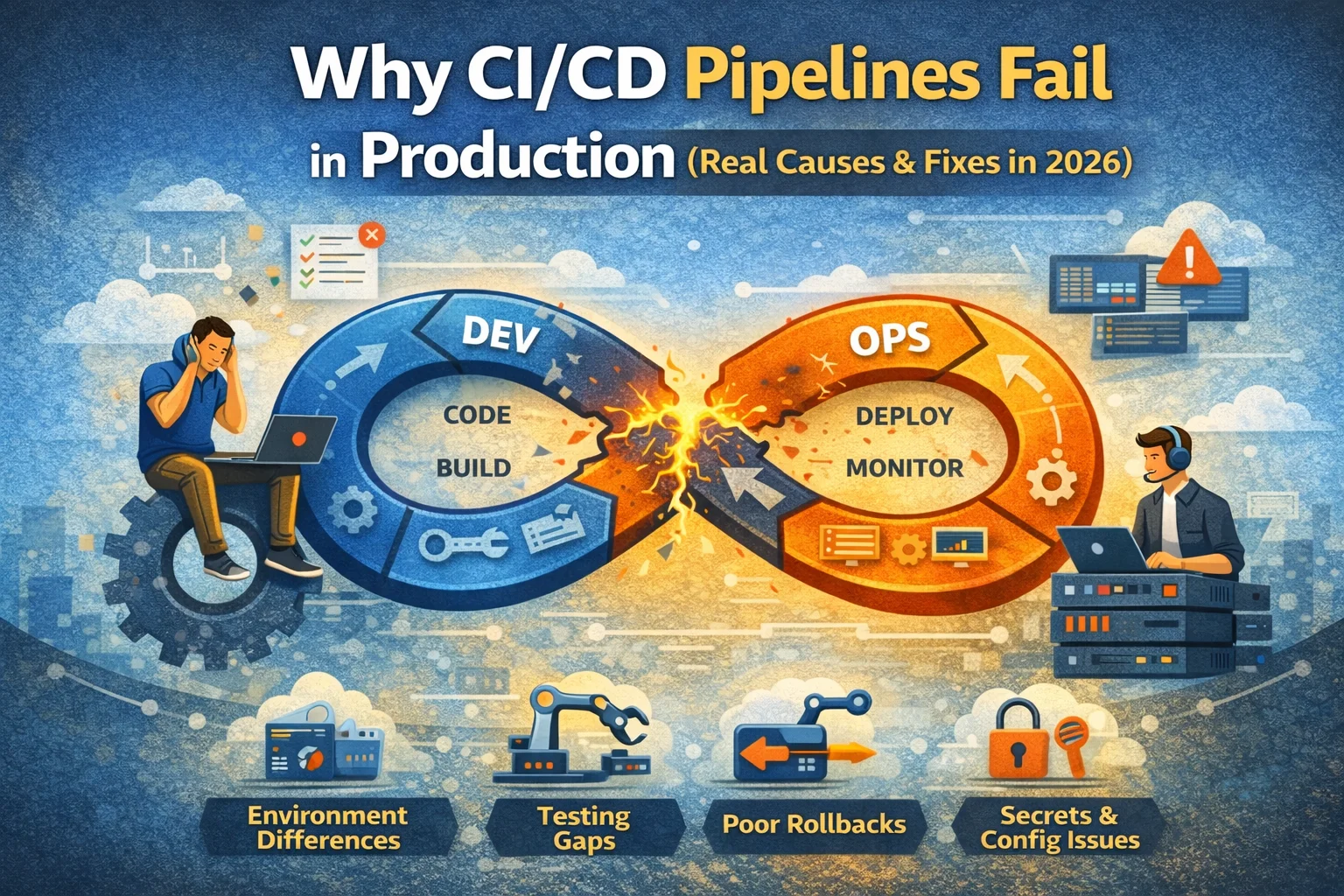
Last updated: January 2026
You’ve spent weeks setting up your CI/CD pipeline. The tests pass locally, everything looks green in staging, and you’re finally ready to ship that feature your product team has been hounding you about. You hit deploy, grab a coffee, and come back to… a broken production environment and a Slack channel that’s absolutely on fire.
Sound familiar? You’re not alone. I’ve been there more times than I’d like to admit, and I’ve seen countless teams struggle with the same issues. The truth is, CI/CD pipelines are incredibly powerful when they work, but when they fail in production, they fail spectacularly.
In this article Let’s talk about Why CI/CD pipelines fail and why this keeps happening — and what actually works in real production environments, not just blog demos.
One thing I underestimated early in my career was how much fear affects deployments. Even with a working pipeline, teams hesitate to release because they’ve been burned before. CI/CD problems are often emotional problems disguised as technical ones.
CI/CD pipelines fail – The Environment Problem

Here’s the thing nobody tells you when you’re setting up your first pipeline: your staging environment is lying to you. It’s not being malicious, but it’s probably running on different infrastructure, with different data volumes, and definitely with different traffic patterns than production.
I once worked with a team that had a beautifully crafted CI/CD pipeline. Every test passed in their staging environment. But production? That was a different story. Their database queries that took milliseconds in staging would timeout in production because they were dealing with millions of records instead of thousands.
The fix isn’t to make your staging environment identical to production (that’s expensive and often impractical). Instead, focus on these areas:
Configuration management is crucial. Use environment variables for everything that differs between environments, and I mean everything. Database connections, API endpoints, feature flags, rate limits. Don’t hardcode anything. Tools like dotenv, AWS Parameter Store, or HashiCorp Vault can help manage this complexity.
Data matters more than you think. Your staging data should represent production scenarios, even if it’s anonymized or synthetic. If your production database has 10 million users, your staging environment should have enough data to surface performance issues. Use tools like Faker or realistic data generators to create meaningful test datasets.
Testing Gaps That Hurt
Your unit tests are passing. Your integration tests look good. You’ve even got some end-to-end tests running. So why did your deployment just break the payment processing system?
Testing in CI/CD isn’t just about coverage percentages. I’ve seen codebases with 90% test coverage that still ship broken features because they’re testing the wrong things.
Integration tests often miss the real dependencies. That third-party API you’re calling? It might have rate limits you haven’t hit in testing. The authentication service? It might behave differently under load. Your tests need to account for these real-world scenarios, not just the happy path.
Here’s what actually works: contract testing and chaos engineering. Contract testing ensures that your services communicate correctly with their dependencies. Tools like Pact can help here. For chaos engineering, start small. Introduce random latency in your staging environment. Kill random services. See what breaks. Netflix’s Chaos Monkey approach isn’t just for tech giants anymore.
Don’t skip the smoke tests. After deployment, you need automated checks that verify critical functionality immediately. Can users log in? Can they make purchases? Is the homepage loading? These simple checks catch obvious problems before your users do.
The Rollback Strategy You Don’t Have
Let’s be honest: most teams don’t have a solid rollback strategy until they desperately need one. And by then, it’s too late.
I learned this the hard way during a Black Friday deployment (yes, I know, terrible timing). We had pushed a change that seemed minor, but it caused a cascade failure in our checkout system. We didn’t have an automated rollback process. We spent 45 minutes of the highest-traffic day of the year manually reverting changes while losing revenue by the second.
Blue-green deployments are your friend — most of the time. They’re not always cheap or simple, but when you need fast rollback, they save you. Keep your old version running while you deploy the new one. If something goes wrong, you just switch the traffic back. It’s that simple. Kubernetes makes this relatively straightforward with its rolling update strategies.
Database migrations are the tricky part. You can’t always roll back a database change as easily as you can roll back application code. The solution? Make your database changes backward compatible. Add new columns without dropping old ones. Deploy in stages. Use feature flags to control when new database fields are actually used.
Secrets and Configuration Mishaps
Here’s a scenario that happens way too often: your pipeline works perfectly in dev, passes all checks, deploys to production, and then crashes because the production API key is wrong or missing.
Secrets management is one of those things that seems straightforward until you’re dealing with multiple environments, rotating credentials, and different team access levels.
Never, ever store secrets in your repository. Not even in a private repo. Not even encrypted. Use dedicated secrets management systems. GitHub Secrets, GitLab CI/CD variables, AWS Secrets Manager, or Azure Key Vault are all good options.
Rotate your secrets regularly. Your CI/CD pipeline should be able to handle secret rotation without manual intervention. If a credential gets rotated and your deployment fails because of it, that’s a pipeline problem, not a security team problem.
Monitoring and Observability Blind Spots
Your deployment succeeded according to the pipeline, but your error rate just spiked 300%. The pipeline doesn’t know this because you’re not monitoring the right things.
Too many teams treat deployment success and application health as the same thing. They’re not.
Deployment verification should include actual health metrics. Don’t just check if the deployment completed. Check if your error rates are normal. Check if response times are acceptable. Check if critical user flows are working. Tools like Datadog, New Relic, or Prometheus can integrate directly into your pipeline to verify these metrics post-deployment.
Set up proper alerting thresholds. You need to know immediately if something’s wrong, not when your users start complaining on Twitter. Configure your CI/CD pipeline to automatically roll back if error rates exceed certain thresholds after deployment.
Dependency Hell
Your application doesn’t exist in isolation. It depends on libraries, frameworks, base images, and external services. Any of these can break your deployment.
I’ve seen production deployments fail because a package maintainer pushed a breaking change to what was supposed to be a patch version. Following semantic versioning should prevent this, but in practice, not everyone does.
Lock your dependencies. Use package-lock.json, Gemfile.lock, requirements.txt with pinned versions, or whatever your language ecosystem provides. Don’t use floating version numbers in production dependencies.
Scan for vulnerabilities as part of your pipeline. Tools like Snyk, Dependabot, or Trivy can catch security issues before they reach production. Make this a required check in your CI/CD process.
The Human Factor
Sometimes pipelines fail because of us. A junior developer merged a PR without proper review. Someone bypassed the standard process for a “quick fix.” The deployment script worked on their machine but nowhere else.
Make your CI/CD pipeline the path of least resistance. If developers are bypassing your pipeline, it’s because your pipeline is too slow, too complicated, or too unreliable. Fix the pipeline, don’t just enforce stricter policies.
Code review should be mandatory and meaningful. Not just a rubber stamp. Your CI/CD pipeline should enforce that reviews happen and that specific reviewers approve changes to critical paths.
Building Resilience Into Your Pipeline
The goal isn’t to have a pipeline that never fails. That’s impossible. The goal is to fail fast, fail safely, and recover quickly.
Implement progressive delivery. Instead of deploying to all users at once, use canary deployments or feature flags to gradually roll out changes. If something goes wrong, only a small percentage of users are affected.
Make your pipeline idempotent. Running a deployment twice should produce the same result as running it once. This makes retries safe and reduces the fear of re-running failed deployments.
Document everything. When something goes wrong at 3 AM, you don’t want to be digging through code to figure out how the deployment process works. Your runbooks should be clear, updated, and easily accessible.
Moving Forward
CI/CD pipelines fail. It’s part of the game. But they don’t have to fail catastrophically, and they don’t have to fail repeatedly for the same reasons.
Start small. Pick one issue from this list that resonates with your team’s pain points and fix it this week. Maybe it’s implementing smoke tests. Maybe it’s setting up proper secrets management. Maybe it’s just documenting your rollback process.
The teams with the most reliable deployments aren’t the ones with perfect pipelines. They’re the ones who learn from each failure, iterate constantly, and prioritize reliability as much as features.
Your future self (and your on-call engineer) will thank you.
Frequently Asked Questions
How long should a CI/CD pipeline take to complete?
There’s no universal answer, but if your pipeline takes longer than 15-20 minutes, you should look into parallelization and optimization. Developers lose context if they have to wait too long for feedback. Split your tests into fast unit tests that run on every commit and slower integration tests that run less frequently.
Should I use hosted CI/CD or self-hosted?
Hosted solutions like GitHub Actions or GitLab CI are great for getting started quickly and work well for most teams. Self-hosted solutions like Jenkins give you more control but require maintenance. Start with hosted unless you have specific compliance or security requirements that demand self-hosted infrastructure.
What’s the minimum set of tests needed before deploying to production?
At minimum, you need unit tests covering critical business logic, integration tests for key user flows, and automated smoke tests that verify basic functionality post-deployment. The exact scope depends on your application, but err on the side of more coverage for revenue-critical features.
How do I convince my team to invest time in improving our CI/CD pipeline?
Track the actual cost of pipeline failures: deployment time, rollback frequency, incidents caused by bad deployments, and developer time spent debugging. Present this data in terms of business impact. A faster, more reliable pipeline means faster feature delivery and fewer late-night emergencies.
When should I roll back versus roll forward?
Roll back when the issue is severe and affects many users, when the fix isn’t immediately obvious, or when you need to buy time to investigate. Roll forward (deploy a fix) when the issue is minor, the fix is simple and verified, and rolling back would cause other problems like database inconsistencies.
About the Author
Kedar Salunkhe
With over a 7+ of experience in DevOps and Cloud, I’ve built and broken more CI/CD pipelines than I can count. I’ve worked with startups racing to ship features and enterprises managing complex deployment processes across hundreds of services. These days, I focus on helping teams build reliable deployment practices that don’t require sacrificing sleep or sanity. You can find more of my writing on DevOps practices and war stories at my blog, or connect with me on LinkedIn where I share lessons learned from production incidents (mine and others’).
Resources
External Resources
Internal Resources