
Last Updated: January 10 2026
Table of Contents
You know that feeling when you deploy your application, everything looks perfect in the YAML, you hit apply, and then… your pod just sits there idle. Waiting. Forever.
Usually around 4 PM on a Friday, right before a demo. The pod status with the “ContainerCreating” while my PersistentVolumeClaim stubbornly shows the “Pending” state.
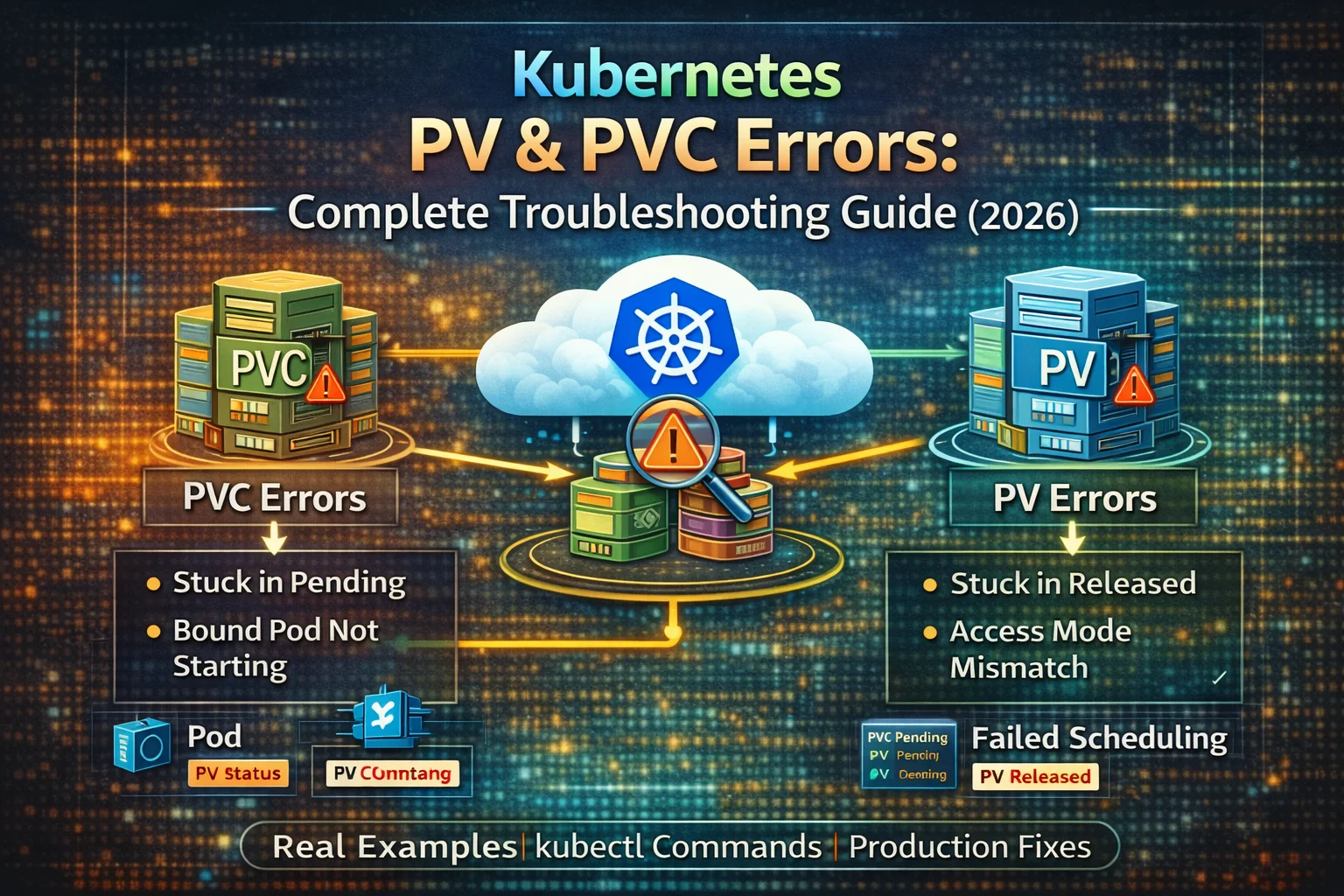
This master kubernetes troubleshooting guide is written as a one-stop reference for DevOps engineers, SREs, and platform teams to debugkubernetes PV & PVC errors, CSI, StatefulSet, and node-level storage issues in Kubernetes.
The Day Everything Broke And What I Learned
Let me tell you about elliot. He’s a backend developer at startup, and yesterday he pushed his first Kubernetes deployment to production environment. A Database pod with persistent storage. Looks very Simple normal day activity, right?
Two hours later, the database is still not running. The CEO is asking questions. The lead developer is on a vacation and elliot’s pod events show:
Warning FailedScheduling pod/postgres-0 0/4nodes are available:pod has unbound immediatePersistentVolumeClaim.
Sound familiar right? The exact scenario has happened to me, my teammates, and probably half the people reading this.
The thing is that, Kubernetes storage isn’t that much complicated—it’s just particular. Like really particular. Miss one detail in your StorageClass, PersistentVolume, or PersistentVolumeClaim config resource, and you’re stuck debugging the simple issue for hours.
A Quick Refresher about
Before we dive into the actual errors, Let’s have a quick revision on the storage relationship that trips everyone up:
Pod needs storage↓Pod references PVC (PersistentVolumeClaim)↓PVC requests storage from StorageClass↓StorageClass provisions PV (PersistentVolume)↓PVC binds to PV↓Pod mounts the volume
When any link in this chain breaks, your pod breaks in terms of storage. Let’s fix each broken link.
Kubernetes PV PVC Errors & Fixes
PersistentVolumeClaim Errors

Error 1: PVC Stuck in Pending (The Classic Error)
What you see:
$ kubectl get pvcNAME STATUS VOLUME CAPACITY ACCESS MODES STORAGECLASS AGEapp-data Pending standard 12m
That “Pending” status? It’s been there for 12 minutes. Or 32hours. Or sometimes overnight because you gave up and went home.
What’s actually happening here:
Your PVC is waiting for PersistentVolume that either doesn’t exist or doesn’t match its required requirements. Think of it like waiting for a cab that never shows up.
Debugging steps I actually use:
# First,describe andsee what PVC is complaining aboutkubectl describe pvc app-data# Look fortheevents at the bottom - they tellyouthe real story# Common messages:# "waiting for a volume to be created"# "no persistent volumes available"# "failed to provision volume"
Common causes I’ve encountered:
- No StorageClass exists (happened to me on a new cluster)
$ kubectl get storageclassNo resources found
Fix: Create a New StorageClass or use the existing one
apiVersion: v1kind: PersistentVolumeClaimmetadata:name: app-dataspec:accessModes:- ReadWriteOncestorageClassName: standard # Make sure this exists!Highly importantresources:requests:storage:10Gi
- StorageClass has no provisioner (learned this the hard way)
kubectl get storageclass standard -o yaml# Check if provisioner is setor not
- Typo in StorageClass name (yes, this has wasted a lot of hours of my life)
storageClassName: standrad # Spot the typo? I didn't for 2 hours.- No available PVs matching the claim (especially with the static provisioning)
My go-to fix:
# Check what StorageClasses you actually havein your infrakubectl get sc# Check if there are any PVs availableon the clusterkubectl get pv# Check the PVC events foran clueskubectl describe pvc app-data | grep -A 10 Events
If you’re using the dynamic provisioning and your StorageClass looks right, check the storage provisioner logs:
# For AtheWS EBS CSI driverkubectl logs -n kube-system -l app=ebs-csi-controller# For other provisioners, adjust the label/namespace
Error 2: PVC Bound but Pod Still Won’t Start
Once upon an Afternoon this one drove me crazy. The PVC shows “Bound,” everything looks green, but the pod is stuck in “ContainerCreating.”
What you see:
$ kubectl get pvcNAME STATUS VOLUME CAPACITYapp-data Bound pvc-abc123-def456-ghi7895Gi$ kubectl get podsNAME READY STATUS RESTARTS AGEapp-7d9f8b6e5-xyz 0/1 ContainerCreating 05m
Check the pod events:
kubectl describe pod app-7d9f8b6e5-xyz# Common errors youwillsee:# "Unable to attach or mount volumes"# "Multi-Attach error for volume"# "Volume is already exclusively attached to one node"
Causes I’ve seen:
- ReadWriteOnce volume already attached elsewhere
This happens when:
- Previous pod is crashed but volume still attached.
- You’re trying to scale a deployment with RWO volumes.
# Check ifthevolume is attached to another nodekubectl get volumeattachment# Force delete the stuck pod to release the volumekubectl delete pod app-7d9f9b6c5-xyz --force --grace-period=0
- Node doesn’t have CSI driver
# Check iftheCSI driver pods are runningkubectl get pods -n kube-system | grep csi# Check nodedrivers areavailablekubectl get csinode
- Permission issues with the volume
# Checkthepod logs for permission errorskubectl logs app-7d9f8b6c5-xyz# Common error: "Permission denied" when accessing /datas# Fix with securityContext:spec:securityContext:fsGroup: 1000 # Match your app's user IDcontainers:- name: appvolumeMounts:- name: datamountPath: /datas
Error 3: PVC Deleted but PV Still Hanging Around
You deleted the PVC thinking you’d start fresh. But the PersistentVolume refuses to go away, stuck in “Released” state forever since a long time.
What you see:
$ kubectl get pvNAME CAPACITY STATUS CLAIMpvc-abc12345Gi Released default/old-app-datas
That “Released” status means that the PV remembers its old relationship with the deleted PVC and won’t let anyone else use it.
Why this happens:
The PV’s reclaimPolicy determines what happens when its PVC is deleted:
Retain– PV sticks around (requires manual cleanup)Delete– PV is automatically deletedRecycle– Deprecated, don’t use
How I clean this up:
# Option 1: Delete PV manually (if data isn't needed)kubectl delete pv pvc-abc1234# Option 2: Make it available again (if you want to reuse it)kubectl patch pv pvc-abc1234-p '{"spec":{"claimRef": null}}'# The PV will change from Released to Available
For the future, set the right reclaim policy:
apiVersion: v1kind: PersistentVolumemetadata:name: my-pvspec:persistentVolumeReclaimPolicy: Delete # Auto-delete when PVC is deletedstorageClassName: standardcapacity:storage: 10GiaccessModes:- ReadWriteOnce
Error 4: PVC is Requesting Unsupported Access Mode
This error message is confusing because it doesn’t always tell you the upfront what’s wrong.
What happens: Your PVC stays Pending, and when you describe it, you see something like:
Warning ProvisioningFailed storageclass-provisionerFailed to provision volume: requested access mode not supported
Access modes explained :
- ReadWriteOnce (RWO) – One pod on one node can write
- ReadOnlyMany (ROX) – Many pods can read, none can write
- ReadWriteMany (RWX) – Many pods can read AND write
The mistake I made:
# This won't work on AWS EBS or GCE PD!apiVersion: v1kind: PersistentVolumeClaimmetadata:name: shared-datasspec:accessModes:- ReadWriteMany # EBS doesn't support this!storageClassName: gp2resources:requests:storage:5Gi
The fix:
Either use RWO, or switch to the storage type that supports RWX:
# Option 1: UsetheRWO if you don't need multi-pod accessaccessModes:- ReadWriteOnce# Option 2: UsetheEFS on AWS for RWXstorageClassName: efs-sc # Configure EFS CSI driver firstaccessModes:- ReadWriteMany
Check what your StorageClass really supports:
kubectl describe storageclass gp2 | grep Parameters# Look for volume type - if it's EBS, no RWX support
Error 5: PVC Size Exceeds the StorageClass Limit
Got ambitious and requested 1TB when your StorageClass caps at 100GB? Been there.
What you see:
kubectl describe pvc huge-datasEvents:Type Reason MessageWarning ProvisioningFailed requested size 1Ti exceeds maximum500Gi
Quick fix:
# Check StorageClass limitskubectl get storageclass standard -o yaml | grep -i limit# ReducethePVC requestkubectl edit pvc huge-data# Change storage: 1Ti to somethingmuchsmaller
Note: Some cloud providers have the default limits you might not know about:
- AWS EBS: 1 GiB to 16 TiB (depending on type)
- GCE PD: 1 GiB to 64 TiB
- Azure Disk: 1 GiB to 32 TiB
Error 6: PVC Resizing is Failed
You tried to expand your volume (which is awesome that the Kubernetes supports this now), but it failed halfway through.
What you see:
$ kubectl get pvcNAME STATUS VOLUME CAPACITYapp-datasBound pvc-123410Gi # Still showstheold size$ kubectl describe pvc app-dataConditions:Type StatusFileSystemResizePending TrueResizing True
Common issues:
- StorageClass doesn’t allow expansion
kubectl get sc standard -o yaml | grep allowVolumeExpansion# If it's false or missing, expansion won't work
Fix:
apiVersion: storage.k8s.io/v1kind: StorageClassmetadata:name: regional-storageprovisioner: kubernetes.io/aws-ebsvolumeBindingMode: WaitForFirstConsumer # Critical!# This ensures PV is created in same zone as pod
This prevents the zone mismatch errors that waste hours of debugging.
2. Always Enable Volume Expansion
apiVersion: storage.k8s.io/v1kind: StorageClassmetadata:name: expandable-storageprovisioner: kubernetes.io/aws-ebsallowVolumeExpansion: true # Always set this!
You’ll thank yourself later when you need to grow volumes without downtime.
3. Monitor Storage Usage
Don’t wait for “disk full” errors. Set up monitoring alerts:
# Check PVC usagekubectl get pvc -A -o json | jq '.items[] | {name: .metadata.name, capacity: .spec.resources.requests.storage, namespace: .metadata.namespace}'# Set up alerts for >75% usage# Use Prometheus metrics: kubelet_volume_stats_used_bytes
4. Test Your Backup and Restore Process
I can’t stress this enough. Having backups means nothing if you cannot restore them.
Perform Monthly drill:
- Create tests PVC with sample data
- Back it up (using Velero or cloud snapshots)
- Delete PVC
- Restore from the backup
- Verify the data integrity
If this process takes you more than 15 minutes, simplify it.
5. Document Your StorageClasses
Create a README DOC or a Wiki Page that lists:
- What each StorageClass is for
- Performance characteristics
- When to use each one
Error 7: PVC Expansion Stuck in Pending
Related to #6, but this one just hangs forever with no clear error displayed.
What’s happening:
kubectl get pvc app-data -o yaml | grep -A 5 statusstatus:capacity:storage: 10Giconditions:- lastTransitionTime: "2026-01-10T10:15:40Z"message: Waiting for user to (re-)start a pod to finish file system resizestatus: "True"type: FileSystemResizePending
The fix is very simple – restart the deployment:
# For a deploymentkubectl rollout restart deployment app# For a StatefulSetkubectl delete pod app-0 # It'll be recreated
The volume resize happens in two phases:
- Expanding actual storage (happens automatically)
- Expanding filesystem (needs pod restart)
Error 8: PVC is Lost (The Scary One)
This doesn’t happen often, but when it does, its critical. Your PVC exists but shows no volume.
What you see:
$ kubectl get pvcNAME STATUS VOLUME CAPACITY ACCESS MODES STORAGECLASSapp-data Lost 0 standard
What does “Lost” means:
The PV that was bound to this PVC was manually got deleted, but the PVC still exists and remembers it.
How to recover:
From backups:
# Delete the lost PVCkubectl delete pvc app-data# Create a new PVCkubectl apply -f pvc.yaml# Restore data from backup
If you don’t have backups and the underlying storage still exists:
# This is tricky - you need to manually create a PV pointing to the existing storage# For AWS EBS:apiVersion: v1kind: PersistentVolumemetadata:name: recovered-pvspec:capacity:storage:20GivolumeMode: FilesystemaccessModes:- ReadWriteOncepersistentVolumeReclaimPolicy: RetainstorageClassName: gp2awsElasticBlockStore:volumeID: vol-01234567239abcdef0 # Your existing EBS volume IDfsType: ext4
Prevention is better than recovery:
- Always maintain a backups (Velero is your friend)
- Set the
reclaimPolicy: Retainon important volumes - Don’t manually delete PVs unless you’re 100% sure
Error 9: PVC Not Matching StorageClass
You created a PVC specifying a StorageClass, but it won’t bind to any PV.
The detective work starts:
# Check your PVCkubectl get pvc app-data -o yaml | grep storageClassNamestorageClassName: fast-ssd# Check whattheStorageClasses existkubectl get scNAME PROVISIONERstandard kubernetes.io/aws-ebsslow kubernetes.io/aws-ebs# No "fast-ssd" - there's your problem!
Common scenarios:
- Typo in StorageClass name
storageClassName: standrad # Should be "standard"- StorageClass has a different name in production vs dev
# Dev clusterstorageClassName: standard# Prod cluster has different names!storageClassName: premium-ssd
The fix:
# Either create missing StorageClass, or update the PVCkubectl edit pvc app-data# Change storageClassName to an existing one
Error 10: PVC Referencing Non-Existing StorageClass
What you see:
kubectl describe pvc app-datasEvents:Type Reason MessageWarning ProvisioningFailed storageclass.storage.k8s.io "magic-storages" not found
Quick fixes:
# Option 1: Create the StorageClasscat <<EOF | kubectl apply -f -apiVersion: storage.k8s.io/v1kind: StorageClassmetadata:name: magic-storagesprovisioner: kubernetes.io/aws-ebsparameters:type: gp3allowVolumeExpansion: trueEOF# Option 2: Update PVC to use existing StorageClasskubectl patch pvc app-data -p '{"spec":{"storageClassName":"standard"}}'# Option 3: Use default StorageClass (if available)kubectl patch pvc app-data -p '{"spec":{"storageClassName":null}}'
PersistentVolume Errors (The Platform Side Errors)

Error 11: PV Stuck in Available
You have a PV showing “Available” but your PVC won’t bind to it.
What you see:
$ kubectl get pvNAME CAPACITY ACCESS MODES RECLAIM POLICY STATUS CLAIMprod-pv20Gi RWO Retain Available$ kubectl get pvcNAME STATUS VOLUME CAPACITY STORAGECLASSapp-data Pending
They should bind, but they don’t. Why?
Common mismatches in this scenario:
- StorageClass doesn’t match
# Check PVkubectl get pv my-pv -o yaml | grep storageClassNamestorageClassName: fast# Check PVCkubectl get pvc app-data -o yaml | grep storageClassNamestorageClassName: standard # Different! Won't bind!
- Capacity doesn’t match
# PV has 10Gicapacity:storage: 10Gi# PVC wants20Gi - PV is too small!resources:requests:storage:20Gi
- Access modes don’t match
# PV supports only RWOaccessModes:- ReadWriteOnce# PVC wants RWX - won't work!accessModes:- ReadWriteMany
- Selectors blocking the match
# PVC has a selector that excludes the PVselector:matchLabels:type: ssds# But PV doesn't have this label!
My debugging checklist:
# Compare PV and PVC side by sideecho "PV"kubectl get pv my-pv -o yaml | grep -A 5 "storageClassName\|capacity\|accessModes"echo "PVC"kubectl get pvc app-data -o yaml | grep -A 5 "storageClassName\|requests\|accessModes"# Make surethateverything matches!
Error 12: PV Stuck in Released
What happened:
- PVC was deleted
- PV reclaim policy was “Retain”
- PV now stuck in the Released state
- No new PVC can claim it
The fix:
# Remove claim reference to make it Available againkubectl patch pv pvc-old-volumes-p '{"spec":{"claimRef": null}}'# Verify it's Available nowkubectl get pv pvc-old-volumes# Should show STATUS: Available
Error 13: PV Reclaim Policy Misconfigured
The reclaim policy controls what happens to your data when a PVC is deleted. Get this wrong, and you loose the data.
The three policies:
- Delete – PV and underlying storage deleted when PVC deleted
- Retain – PV kept when PVC deleted
- Recycle – Deprecated, don’t use
The mistake that cost me 5 hours of recovery:
# I thought this would keep my dataverysafekind: PersistentVolumespec:persistentVolumeReclaimPolicy: Delete # WRONG FOR PRODUCTIONENVIRONMENT!storageClassName: database-storage
Deleted PVC during the cleanup, and Ohh.. – production database volume gone. Had to restore from backups.
The right approach:
# FortheproductionpersistentVolumeReclaimPolicy: Retain# Forthedev/testpersistentVolumeReclaimPolicy: Delete
Change the existing PV policy:
kubectl patch pv my-important-pv -p '{"spec":{"persistentVolumeReclaimPolicy":"Retain"}}'Error 14: PV Access Mode Mismatch
Your PV supports one access mode, but your PVC requests another.
Example that won’t work:
# PV definitionaccessModes:- ReadWriteOnce# PVC wantsaccessModes:- ReadWriteMany # Mismatch!
How to fix:
# Check what the PV actually supportskubectl get pv -o custom-columns=NAME:.metadata.name,ACCESS:.spec.accessModes# Update PVC to matchPVkubectl edit pvc app-data# Change accessModes to match PV
Error 15: PV Capacity Mismatch
PVC requests 200Gi, but your PV only has 100Gi. They won’t bind.
What Kubernetes does:
- PVC needs minimum 100Gi
- PV only offers 50Gi
- No match, PVC stays Pending
The fix:
# Option 1: Create bigger PV# (Can't resize existing PV)# Option 2: Reduce PVC requestkubectl edit pvc app-datas# Change storage:200Gi to storage:100Gi
What I learned the hard way:
PV capacity must be greater than or equal to PVC request. It can be bigger:
- PVC requests 100Gi
- PV offers 200Gi
- They’ll bind, PVC gets 100Gi
But not smaller:
- PVC requests 200Gi
- PV offers 100Gi
- Won’t bind, ever
Error 16: PV Zone/Region Mismatch
This one is realated with the cloud environments. Your PV is in us-east-1a, but your pod is scheduled in us-east-1b.
What happens:
kubectl describe pod app-xEvents:Warning FailedAttachVolume AttachVolume.Attach failed for volume "pvc-123"pod has unbound immediate PersistentVolumeClaimskubectl describe pvc app-datasNormal WaitForFirstConsumer waiting for pod to be scheduled
The root cause:
# Check PV zonekubectl get pv pvc-123 -o yaml | grep zonefailure-domain.beta.kubernetes.io/zone: us-east-1a# Check where pod is scheduledkubectl get pod app-x-o yaml | grep nodeNamenodeName: node-in-us-east-1b # Different zone!
Solutions:
- Use WaitForFirstConsumer (recommended for cloud)
apiVersion: storage.k8s.io/v1kind: StorageClassmetadata:name: zone-awareprovisioner: kubernetes.io/aws-ebsvolumeBindingMode: WaitForFirstConsumer # Key setting!
- Pin pod to PV’s zone
spec:nodeSelector:topology.kubernetes.io/zone: us-east-1a
- Use regional volumes (if your cloud supports it)
Error 17: PV Already Bound to Another PVC
You’re trying to reuse a PV, but it’s still bound to the old PVC (even though that PVC doesn’t exist anymore).
What you see:
$ kubectl get pvNAME STATUS CLAIMmy-pv Bound default/old-pvc-gon # This PVC doesn't exist!$ kubectl get pvc old-pvc-gonError from server (NotFound): persistentvolumeclaims "old-pvc-gon" not found
The fix:
# Clear the claim referencekubectl patch pv my-pv -p '{"spec":{"claimRef": null}}'# Now it's available for new PVCskubectl get pv my-pvNAME STATUS CLAIMmy-pv Available
Error 18: PV Finalizer Blocking the Deletion
You try to delete a PV, but it stays in “Terminating” state forever.
What you see:
$ kubectl delete pv my-pvpersistentvolume "my-pv" deleted#10minutes later...$ kubectl get pvNAME CAPACITY STATUSmy-pv20Gi Terminating # Still here!
Check for finalizers:
kubectl get pv my-pv -o yaml | grep -A 5 finalizersfinalizers:- kubernetes.io/pv-protection
Why finalizers exist:
They prevent accidental deletion of PVs that are still in use. Usually a good thing!
How to remove (carefully!):
# Make absolutely sure no pods are using this PV first!kubectl get pods --all-namespaces -o yaml | grep my-pv# If truly safe to delete, remove finalizerskubectl patch pv my-pv -p '{"metadata":{"finalizers":null}}'# PV should delete immediately
Essential Commands Cheat Sheet
Keep these handy:
# Diagnose PVC issueskubectl describe pvc <pvc-name>kubectl get events --sort-by='.lastTimestamp' | grep <pvc-name># Check PV statuskubectl get pvkubectl get pv -o custom-columns=NAME:.metadata.name,STATUS:.status.phase,CLAIM:.spec.claimRef.name# Check StorageClasseskubectl get sckubectl describe sc <storage-class-name># Force delete stuck resources (use carefully!)kubectl delete pvc <pvc-name> --force --grace-period=0kubectl patch pv <pv-name> -p '{"metadata":{"finalizers":null}}'# Clear PV claim referencekubectl patch pv <pv-name> -p '{"spec":{"claimRef": null}}'# Check volume attachmentskubectl get volumeattachment# Expand PVC (if allowVolumeExpansion is true)kubectl patch pvc <pvc-name> -p '{"spec":{"resources":{"requests":{"storage":"20Gi"}}}}'# Check CSI driver statuskubectl get csidriverskubectl get pods -n kube-system | grep csi
Final Thoughts
The mistakes that I’ve shared here cost me countless hours of debugging, a few late nights in the office, and one very uncomfortable conversation with a manager about the lost data. Learn from them so you don’t have to repeat them in our Kubernetes cluster.
And remember – if you’re stuck at 2 AM fighting a PVC that won’t bind, you’re not alone. We’ve all been there. Take a break, grab some tea, come back with fresh eyes. The solution is usually simpler than you think. And do bookmark this article for use in the future.
Additional Resources
Official Docs:
- Kubernetes Persistent Volumes
- Storage Classes
- Dynamic Volume Provisioning
Backup tools Widely Used:
- Velero – Backup and restore for the Kubernetes
- K9s – A Terminal UI for managing Kubernetes (great for viewing PV/PVC status)
- kubectl-view-allocations – See storage usage across the Kubernetes cluster
FAQ
Q: How long should I wait before assuming a PVC is stuck?
A: For cloud provisioning, give it 2-5 minutes. If it’s still Pending after 5 minutes, start investigating the issue.
Q: Can I change the PVC’s StorageClass after creation?
A: No. You need to create a new PVC with right StorageClass and migrate data.
Q: What happens to my data when I delete the PVC?
A: Depends on the PV’s reclaimPolicy:
Delete– Data is deleted foreverRetain– Data is kept not deleted and PV goes to Released state
Q: Can I attach one PVC to multiple pods?
A: Only if it has access mode i ReadWriteMany (RWX). ReadWriteOnce (RWO) allows only one pod.
Q: Why my volume expansion takes forever?
A: Most of the volumes need the pod restarted to complete filesystem expansion. Delete the pod (it’ll be recreated) and expansion should be completed.
Q: How do I know what StorageClass to use for the cluster?
A: Check with your platform team or use kubectl get sc to see what sc’s are available. When in doubt, use default StorageClass.
Keywords: kubernetes pvc errors, persistent volume troubleshooting, kubernetes storage issues, pvc pending, pv stuck released, kubernetes storage class, volume attachment error, kubernetes pvc bound but pod not starting, pv reclaim policy,