
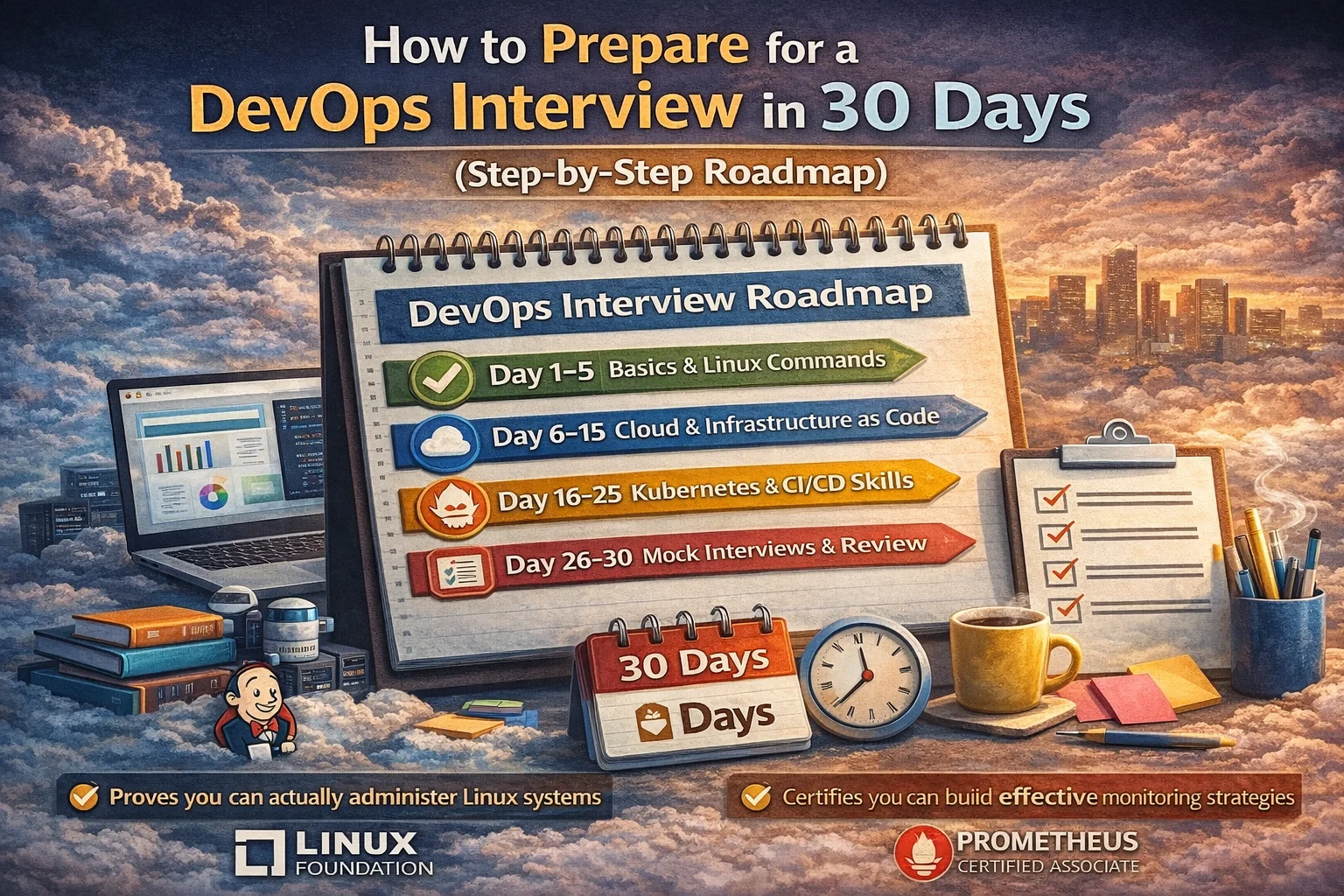
Last Updated: January 2026
So you got the interview call. Congrats! Now the panic sets in because you have exactly 30 days to prepare and DevOps is freaking massive. Where do you even start? Docker? Kubernetes? That monitoring tool you’ve heard about but never used?
I’ve been on both sides of the table—interviewed at startups, FAANG companies, and everything inbetween. I’ve also conducted probably close to 100 DevOps interviews myself. Here’s the thing nobody tells you: you don’t need to know everything. You need to know the right things and know them well enough to have a real conversation about them.
This roadmap won’t make you a DevOps expert in 30 days. That’s impossible. But it will get you ready to ace most DevOps interviews if you actually follow it. Let’s get into it.
How to Prepare for DevOps Interview in 30 Days
Week 1: Linux & Scripting Fundamentals (Days 1-7)

Every single DevOps interview I’ve done starts with Linux. If you can’t navigate a terminal comfortably, everything else falls apart. This week is about building that foundation.
Days 1-2: Linux Command Line Mastery
Forget watching tutorials. Open a terminal and start doing stuff. You need muscle memory for these commands:
- File operations: ls, cd, pwd, cp, mv, rm, mkdir, touch, cat, less, head, tail
- Text manipulation: grep, sed, awk, cut, sort, uniq
- System info: df, du, top, htop, ps, kill, free, uname
- Permissions: chmod, chown, umask
- Networking: ping, curl, wget, netstat, ss, ip, traceroute, nslookup
Here’s what I did when preparing for my first big DevOps interview – I setup a Ubuntu VM and deleted important files on purpose. Then figured out how to recover them. Broke the networking configuration and fixed it. Filled up the disk space with garbage files and cleaned it up.
Interviewers love asking “the server is slow, how do you troubleshoot?” You need to know what commands to run without thinking. Practice checking CPU usage, memory, disk I/O, network connections. Write down your troubleshooting process because they’ll ask you to walk through it.
Days 3-4: Bash Scripting Basics
You don’t need to be a bash wizard, but you should write scripts that actually do something usefull. Focus on:
Variables and loops:
for server in web1 web2 web3; do
ssh $server “systemctl status nginx”
done
Conditionals:
if [ -f /var/log/app.log ]; then
tail -100 /var/log/app.log
else
echo “Log file not found”
fi
Functions and error handling:
backup_database() {
mysqldump -u root database > backup.sql || exit 1
}
Write atleast 5 real scripts:
- A log rotation script
- Backup script for databases or configs
- Server health check script (CPU, memory, disk)
- User creation script with proper permissions
- Simple deployment script that pulls code and restarts service
Put these on GitHub. Interviewers sometimes ask “show me a script you wrote” and you want to have something ready.
Days 5-6: System Administration Concepts
This is where people mess up. They know commands but don’t understand the system. Study:
- Process Management: How does systemd work? What’s the difference between a daemon and a regular process? How do you create a systemd service file?
- Networking basics: Understand TCP/IP, how DNS works, what happens when you type a URL. Know the OSI model (atleast loosely). Understand firewalls—iptables or ufw.
- File Systems: ext4, xfs, what’s mounting? What’s /etc/fstab? How do you expand a partition?
- Package Management: apt, yum, rpm. Understand repositories and how to add them.
One company asked me “explain what happens from the moment you press enter on ssh user@server until you get a prompt.” I fumbled through it. Don’t be me. Know the SSH handshake, key exchange, authentication flow.
Day 7: Mock Interview Day #1
Find someone (friend, colleague, random person on Reddit) and do a mock interview focused on Linux. Have them ask you:
- How do you find files older than 30 days and delete them?
- Server running out of disk space, what do you do?
- How do you find which process is using the most memory?
- Explain how to setup a cron job
- What’s the difference between soft and hard links?
Record yourself if you’re doing it alone. Watch it back. You’ll cringe but you’ll learn where you hesitate or fumble.
Week 2: Version Control, CI/CD & Containers (Days 8-14)

This is where DevOps actually starts feeling like DevOps. You’re building and deploying stuff now.
Days 8-9: Git Deep Dive
You probably know git add, commit, push. That’s not enough. Interviewers ask about branching strategies, merge conflicts, and collaboration workflows.
Things you must know:
- Git workflow: feature branches, develop, main/master
- Resolving merge conflicts (not just clicking “accept both changes”)
- Rebasing vs merging—when to use each
- Cherry-picking commits
- Git hooks for automation
- Undoing commits (reset vs revert)
Create a messy repository on purpose. Make conflicts. Practice resolving them. One interview asked me “your colleague accidentally committed secrets to git, how do you remove them from history?” I said delete the commit. Wrong. It’s still in git history. You need git filter-branch or BFG Repo Cleaner.
Know about .gitignore patterns. They ask about this more than you’d think.
Days 10-11: CI/CD Fundamentals
Pick one tool and learn it properly. Jenkins is everywhere in enterprises. GitHub Actions is taking over for newer companies. GitLab CI is solid too.
For Jenkins:
- Understand pipelines (declarative vs scripted)
- Jenkinsfile syntax
- Agents and nodes
- Plugins for common tasks
- Build triggers
For GitHub Actions:
- Workflow files (.github/workflows/)
- Events, jobs, steps
- Using marketplace actions
- Secrets management
- Matrix builds
Build a real pipeline. Here’s what I recommend:
- Pull code from repository
- Run tests (even if it’s just echo “tests passed”)
- Build Docker image
- Push to registry
- Deploy to staging environment
This touches everything they’ll ask about. When they say “explain your CI/CD experience,” you walk through this pipeline.
Days 12-13: Docker Fundamentals
Docker is non-negotiable for DevOps roles. You need hands-on experience, not just theory.
Core concepts:
- Images vs containers
- Dockerfile instructions: FROM, RUN, COPY, ADD, CMD, ENTRYPOINT, ENV, EXPOSE
- Building images efficiently (layer caching, multi-stage builds)
- Docker networking modes
- Volumes and bind mounts
- Docker Compose for multi-container apps
Biggest mistake people make: they memorize commands but can’t explain what’s happening. Understand how Docker uses namespaces and cgroups. Know the difference between CMD and ENTRYPOINT (I’ve asked this in every interview).
Build these:
- Dockerize a simple web app (Node.js, Python Flask, whatever)
- Multi-stage build to reduce image size
- Docker Compose file with app + database + redis
- Custom network for container communication
One interview gave me a broken Dockerfile and said “fix this.” The image was 2GB because every RUN command created a new layer with npm install. Optimize for size and build time.
Day 14: Mock Interview Day #2
Focus on CI/CD and Docker questions:
- Explain your CI/CD pipeline from start to finish
- How do you handle secrets in CI/CD?
- What’s a multi-stage Docker build and why use it?
- Container won’t start, how do you debug?
- Difference between COPY and ADD in Dockerfile?
Week 3: Cloud & Infrastructure as Code (Days 15-21)

Cloud knowledge separates juniors from mid-level engineers. Pick one cloud (AWS is safest bet) and go deep on the fundamentals.
Days 15-16: AWS/Cloud Basics
You can’t learn all of AWS in two days. Focus on services used in DevOps:
Compute:
- EC2: instance types, security groups, key pairs, user data
- Auto Scaling Groups
- ECS/EKS basics (container services)
Storage:
- S3: buckets, policies, versioning
- EBS vs EFS vs S3
Networking:
- VPC: subnets, route tables, internet gateway, NAT gateway
- Security groups vs NACLs
- Load balancers (ALB vs NLB)
IAM:
- Users, groups, roles, policies
- Least privilege principle
- Service roles for EC2, Lambda, etc.
Don’t try to memorize everything. Understand the concepts. When they ask “how do you make an application highly available,” you should mention multiple AZ’s, load balancers, auto-scaling, database replication.
Launch a few resources. Break them. Fix them. Rack up a $10 AWS bill learning. It’s worth it.
Days 17-18: Terraform/Infrastructure as Code
Infrastructure as Code is fundamental to modern DevOps. Terraform is industry standard.
What you need to know:
- HCL syntax (resource, provider, variable, output)
- State management (local vs remote)
- Modules for reusability
- Variables and outputs
- Terraform workflow: init, plan, apply, destroy
- Remote state with S3 + DynamoDB locking
Write actual Terraform code:
- Deploy EC2 instance with security group
- Create VPC with public and private subnets
- Setup S3 bucket with versioning
- Use modules to organize code
Common interview question: “What happens if two people run terraform apply at the same time?” Answer: race condition, state corruption. Solution: remote state with locking.
Another one: “How do you handle secrets in Terraform?” Don’t hardcode them. Use environment variables, AWS Secrets Manager, or HashiCorp Vault.
Days 19-20: Kubernetes Basics
Kubernetes is huge. In 2 days you can’t become an expert, but you can understand enough to have a conversation.
Focus areas:
- Architecture: control plane, worker nodes, etcd
- Core objects: Pods, Deployments, Services, ConfigMaps, Secrets
- kubectl commands (get, describe, logs, exec, apply, delete)
- YAML manifests for deployments and services
- Basic networking (ClusterIP, NodePort, LoadBalancer)
Use minikube or kind to run Kubernetes locally. Deploy a simple app. Scale it up and down. Expose it with a service. Break it and fix it.
They’ll ask “what’s a pod?” Don’t just say “smallest unit in Kubernetes.” Explain it’s one or more containers that share network and storage, scheduled together.
Day 21: Mock Interview Day #3
Cloud and IaC focused:
- Design a highly available web application on AWS
- Explain Terraform state and why it matters
- Walk through creating a VPC in Terraform
- What’s the difference between a deployment and a pod in Kubernetes?
- How do you rollback a bad deployment in Kubernetes?
Week 4: Monitoring, Security & Interview Prep (Days 22-30)

Final week is about filling gaps and rehearsing.
Days 22-23: Monitoring & Observability
Every production system needs monitoring. Understand the concepts:
Metrics, Logs, Traces – the three pillars of observability
Popular tools:
- Prometheus + Grafana for metrics
- ELK Stack (Elasticsearch, Logstash, Kibana) for logs
- CloudWatch for AWS
What to study:
- Setting up basic monitoring (CPU, memory, disk)
- Creating alerts for critical issues
- Log aggregation and searching
- Dashboards for visualization
You don’t need to be a Grafana expert. But you should explain why monitoring matters and what metrics you’d track for a web application (response time, error rate, throughput, saturation).
One interview asked “application is slow, how do you investigate?” I immediately jumped to code profiling. Wrong. First check monitoring dashboards – is CPU high? Memory? Database connections? Network latency? Monitoring gives you clues before you dive deep.
Days 24-25: Security Basics
Security isn’t optional anymore. Interviewers ask about it constantly.
Key topics:
- Principle of least privilege
- Secrets management (not hardcoding passwords!)
- Network security (firewalls, security groups)
- Container security (image scanning, runtime security)
- SSL/TLS basics
- SSH key management
Common questions:
- “How do you manage secrets in your infrastructure?” (Vault, AWS Secrets Manager, encrypted environment variables)
- “What security measures do you implement in CI/CD?” (Secret scanning, dependency checks, image scanning)
- “How do you secure a Kubernetes cluster?” (RBAC, network policies, pod security standards)
Days 26-27: Common DevOps Interview Questions
Practice answering these out loud:
Technical:
- Explain the DevOps lifecycle
- What’s the difference between continuous delivery and continuous deployment?
- How do you handle database migrations in CI/CD?
- Explain blue-green deployment vs canary deployment
- What’s immutable infrastructure?
- How do you troubleshoot a slow application?
- Explain containers vs virtual machines
- What’s the difference between horizontal and vertical scaling?
Behavioral:
- Tell me about a time you broke production (they love this one)
- Describe a complex problem you solved
- How do you handle on-call responsibilities?
- Tell me about a disagreement with a team member
- What’s your approach to documentation?
Write out answers. Practice in front of a mirror or record yourself. You’ll sound awkward at first. That’s normal.
Day 28: System Design Practice
Some companies ask you to design systems. Practice these scenarios:
- Design a CI/CD pipeline for a microservices application
- Design a highly available WordPress site on AWS
- Design monitoring for a distributed system
- Design disaster recovery for critical applications
Use a whiteboard or draw.io. Talk through your thought process. They care more about your reasoning than the perfect answer.
Day 29: Company Research & Questions
Research the company:
- What’s their tech stack? (Check job description, engineering blog, StackShare)
- Recent news or product launches?
- Engineering culture and values?
Prepare questions for them:
- What does the DevOps team structure look like?
- What’s your deployment frequency?
- How do you handle incidents and post-mortems?
- What’s the on-call rotation?
- What challenges is the team facing?
Questions show you’re serious. “I don’t have any questions” is a red flag for interviewers.
Day 30: Final Review & Rest
Don’t cram new stuff today. Review your notes. Walk through your practice projects. Make sure your GitHub is clean (remove junk repos, write README files).
Get good sleep. Seriously. I’ve bombed interviews because I stayed up all night cramming. You’re not going to learn Kubernetes from scratch at midnight before your interview.
Prepare your setup:
- Test your internet connection
- Charge laptop/phone
- Have water nearby
- Quiet space with good lighting
- Backup plan if tech fails
What to Do During the Interview
Technical questions:
- Think out loud – interviewers want to hear your thought process
- It’s ok to say “I don’t know, but here’s how I’d find out”
- Ask clarifying questions before diving into solutions
- Draw diagrams when explaining architecture
Coding/practical tasks:
- Confirm requirements before starting
- Test your solution
- Explain edge cases
- Clean up your code before submitting
Behavioral questions:
- Use STAR method (Situation, Task, Action, Result)
- Be honest about failures but focus on what you learned
- Show collaboration and communication skills
Red flags to avoid:
- Badmouthing previous employers
- Pretending to know things you don’t
- Not asking any questions
- Being inflexible about remote/on-call/etc without discussion
Common Mistakes People Make
I’ve seen candidates tank interviews in predictable ways:
Over-reliance on GUI tools – Everything through AWS console, never used CLI. DevOps is automation. If you can’t script it, you’re in trouble.
No hands-on experience – Watching tutorials isn’t enough. Interviewers can tell when you’ve only read about something vs actually done it.
Can’t explain the “why” – Knowing commands is good. Understanding when and why to use them is better.
Ignoring soft skills – DevOps is about collaboration. If you can’t explain things clearly or seem difficult to work with, technical skills won’t save you.
Not following up – Send thank you emails. It’s basic but people forget.
What If 30 Days Isn’t Enough?
Honestly? For some roles, it won’t be. If you’re interviewing for a senior position and you’re coming from a completely different field, 30 days of prep might not cut it.
But for most mid-level DevOps roles, this roadmap covers what you need. The key is execution. You can’t just read this and feel prepared. You have to actually do the work.
If you realize you need more time, postpone the interview. It’s better to ask for 2 more weeks than to bomb the interview and get rejected.
Quick Resources Dump
Free stuff that helped me:
- Linux: Linux Journey (free), OverTheWire (gaming way to learn)
- Docker: Official Docker docs, Play with Docker
- Kubernetes: Kubernetes docs, KillerCoda scenarios
- AWS: AWS free tier, Adrian Cantrill’s courses
- Terraform: HashiCorp Learn, Terraform docs
- Practice: LeetCode system design, Pramp for mock interviews
Internal Resources for Understanding DevOps
- DevOps Section – Concepts | Real-World Scenarios
Frequently Asked Questions
Can I really prepare for a DevOps interview in 30 days?
Yes, but it depends on your starting point. If you have some IT background and understand basic Linux and networking, 30 days is doable for entry to mid-level positions. Complete beginners might struggle with this timeline. The key is focused, hands-on practice rather than just watching videos or reading documentation.
What if I don’t know Kubernetes yet?
Don’t panic. Not every DevOps role requires deep Kubernetes knowledge, especially for junior positions. Focus on understanding the basics – what problems Kubernetes solves, core concepts like pods and deployments, and basic kubectl commands. You can learn it deeper on the job. Be honest in interviews about your current level.
Should I lie about experience I don’t have?
Absolutely not. Interviewers can tell. If you say you managed a production Kubernetes cluster but fumble basic kubectl commands, you’re done. Instead say “I haven’t used that in production but I’ve experimented with it in my homelab” or “I’m not familiar with that specific tool but here’s how I’d approach learning it.”
How many hours per day should I study?
Quality over quantity. 3-4 hours of focused, hands-on practice beats 8 hours of passive video watching. If you’re working full-time, dedicate 2-3 hours on weekdays and 4-6 hours on weekends. More importantly, make sure you’re actually building things, not just consuming content.
Which cloud platform should I focus on?
AWS is the safest choice because it has the largest market share. However, check the job description – if the company explicitly mentions Azure or GCP, prioritize that. For general preparation, AWS Solutions Architect Associate level knowledge is sufficient. Don’t try to learn all three clouds in 30 days.
What’s the biggest mistake people make in DevOps interviews?
Not having hands-on experience. You can read all the documentation you want, but if you’ve never actually deployed a Docker container, written a CI/CD pipeline, or troubleshot a broken server, it shows. Interviewers ask scenario-based questions specifically to catch this. Build real projects, break things, fix them.
Do I need certifications to pass DevOps interviews?
No, but they help. Certifications (AWS, Kubernetes CKA, Terraform Associate) signal you’ve studied the material and can open doors. However, practical skills matter more. An uncertified candidate who can architect and deploy a real solution will beat a certified candidate who only memorized exam dumps. If you have time after this 30-day prep, consider getting certified.
How technical will the interview be?
Varies wildly by company. Startups often do practical assessments – “here’s a broken deployment, fix it.” Big tech companies do algorithm questions plus system design. Enterprises focus on specific tools they use. Always ask the recruiter what format the interview will take so you can prepare accordingly.
What if I freeze during the interview?
Happens to everyone. Take a breath, acknowledge it – “Let me think about this for a moment” is totally fine. Interviewers prefer you take time to think rather than panic and ramble. If you genuinely don’t know, say so and explain how you’d find the answer. “I’d check the documentation” or “I’d search for similar issues on Stack Overflow” shows problem-solving ability.
Should I memorize commands or understand concepts?
Concepts first, commands second. Interviewers can tell when you memorized without understanding. They’ll ask follow-up questions to test depth. For example, if you memorize “docker run” flags but don’t understand what containers actually are, you’ll fail. Focus on understanding the why, and commands become easier to remember because they make sense.
Wrapping This Up
Look, 30 days is tight. You’re not going to become a DevOps guru in one month. But you can absolutely prepare enough to confidently walk into most DevOps interviews and hold your own.
The roadmap I laid out works because it focuses on fundamentals that come up in basically every interview. Linux, scripting, Git, CI/CD, Docker, cloud basics, IaC, Kubernetes – this is the core of DevOps work.
The difference between people who succeed and those who don’t isn’t intelligence or natural talent. It’s execution. You actually have to do the work. Set up the labs. Write the scripts. Break things and fix them. Build the projects.
Your competition is watching YouTube tutorials and calling it preparation. You’re going to actually build stuff and that’s going to show in the interview.
One last thing – don’t let the interview define your worth. I’ve failed plenty of interviews for dumb reasons (culture fit, bad day, interviewer having unrealistic expectations). Keep applying, keep learning, keep building. The right opportunity will come.
Good luck. You got this.
About the Author
Kedar Salunkhe
Senior DevOps Engineer with seven years of experience building and scaling infrastructure at companies ranging from Indian startups to Fortune 500 Product Based enterprises.
P.S. – If this guide helped you land an interview or if you have questions about any section, drop a comment below. Jake reads every single one and usually responds within 24 hours. Also if you spot any typos or outdated info, let me know so I can fix it for future readers.